


1 Mac 76% off
$6.99 Regular price $29
One-time
- 1 Mac
- All features
- Every update, for life
- For your own Mac.
Levers puts the menu bar icons you don’t need on a shelf, keeps sixty Mac settings one click away, and clears your screen the moment you share or record it.
Black Friday $6.99 Regular price $29, paid once, until 5 December $6.99 Regular price $29, paid once
3-day free trial · 14-day refund · macOS 15 or later · Apple silicon or Intel
Loved by 2,000+ Mac users
What is Levers
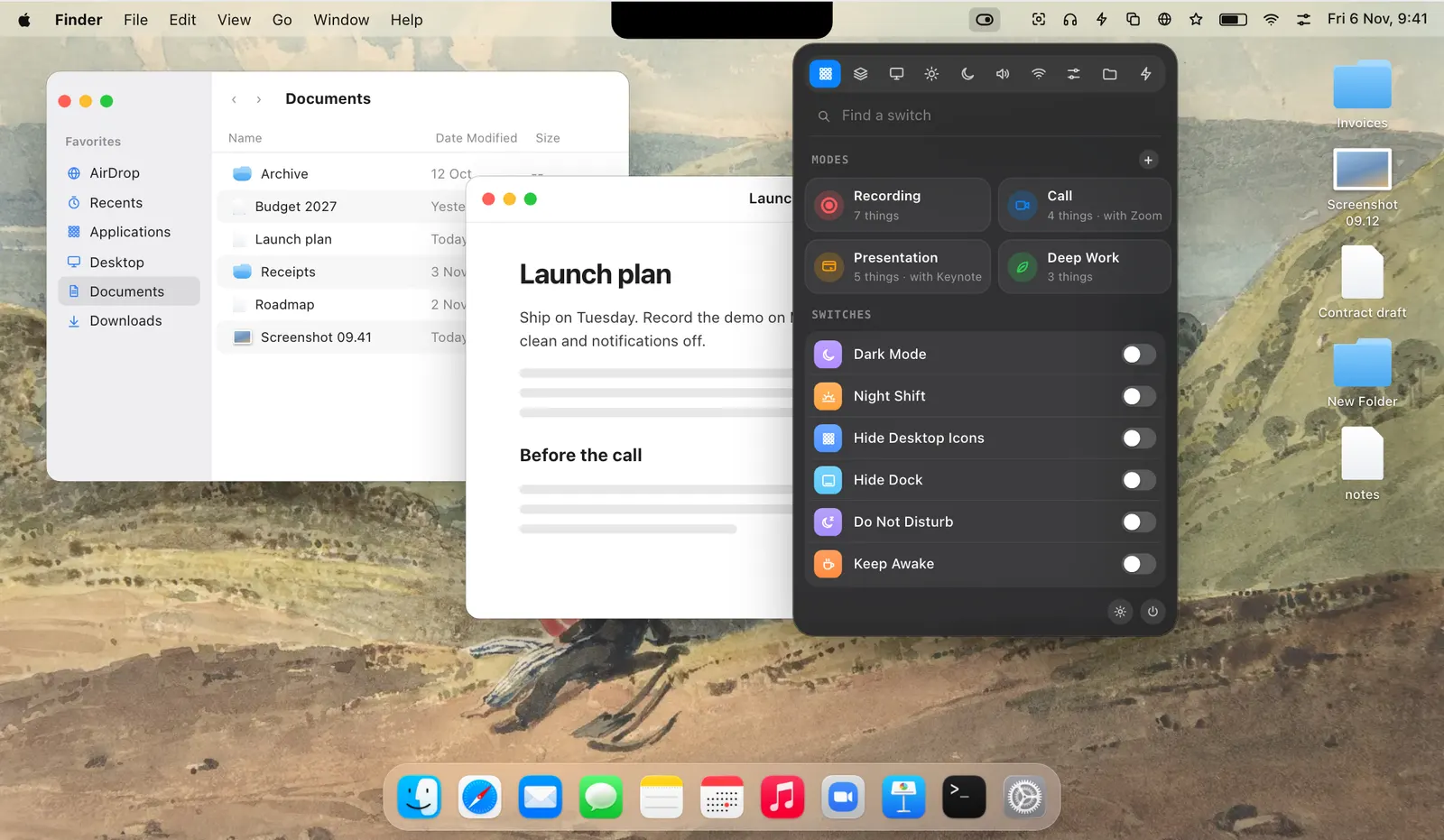
Levers is a menu bar app for the Mac settings you change every day, and for the ones System Settings hides or doesn’t have. Click the asterisk in the menu bar and each one is a single switch.
It is for anyone whose screen other people see: calls, demos, tutorials, classes and streams. It is also for anyone who likes a tidy Mac, with a short menu bar and Finder set up their way.
What sets it apart is that it puts things back. Before Levers changes a setting it writes down how it was, so a mode or Recording Mode can undo every change in reverse, even after a crash or a restart.
Menu bar shelves
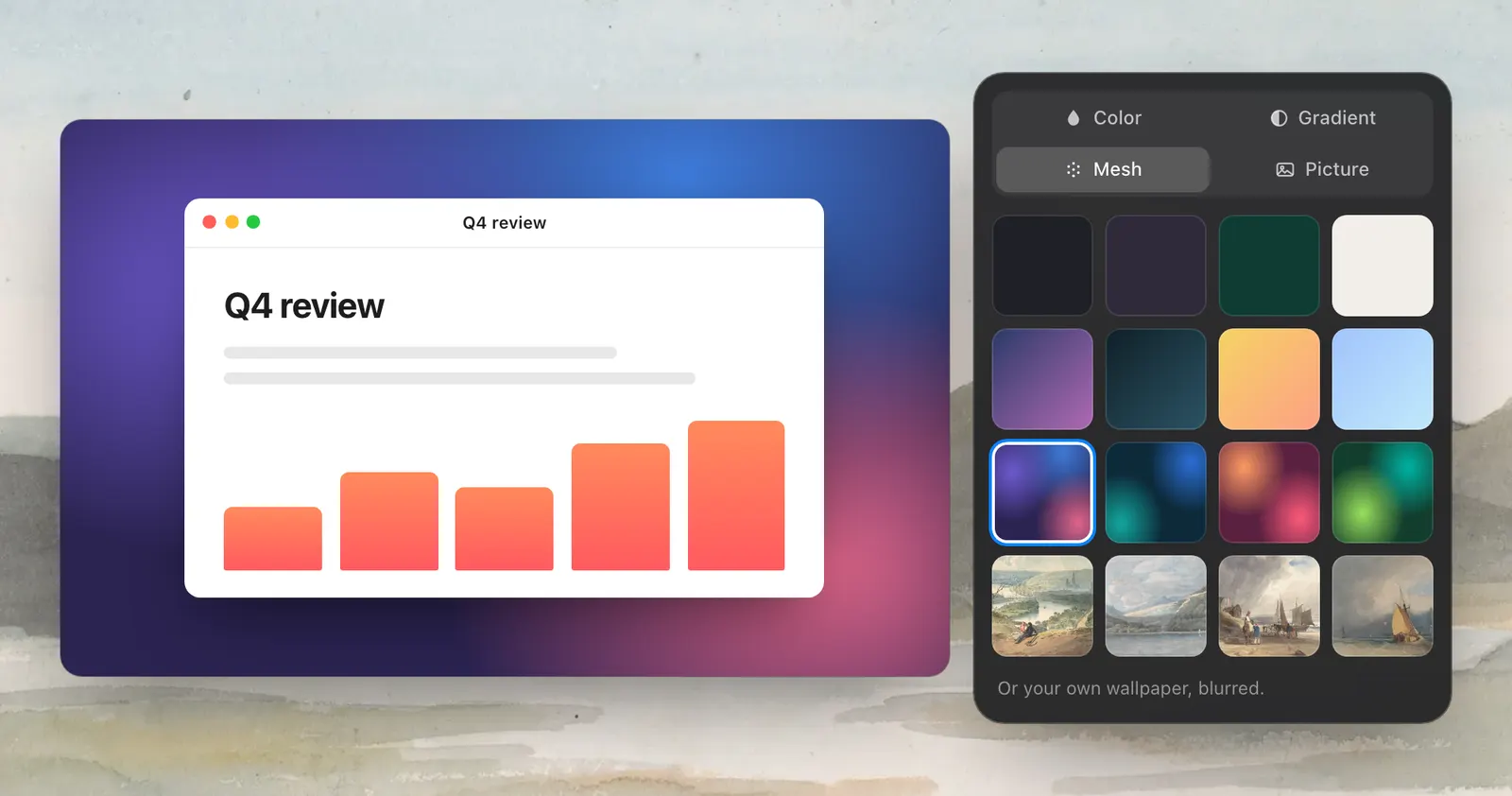
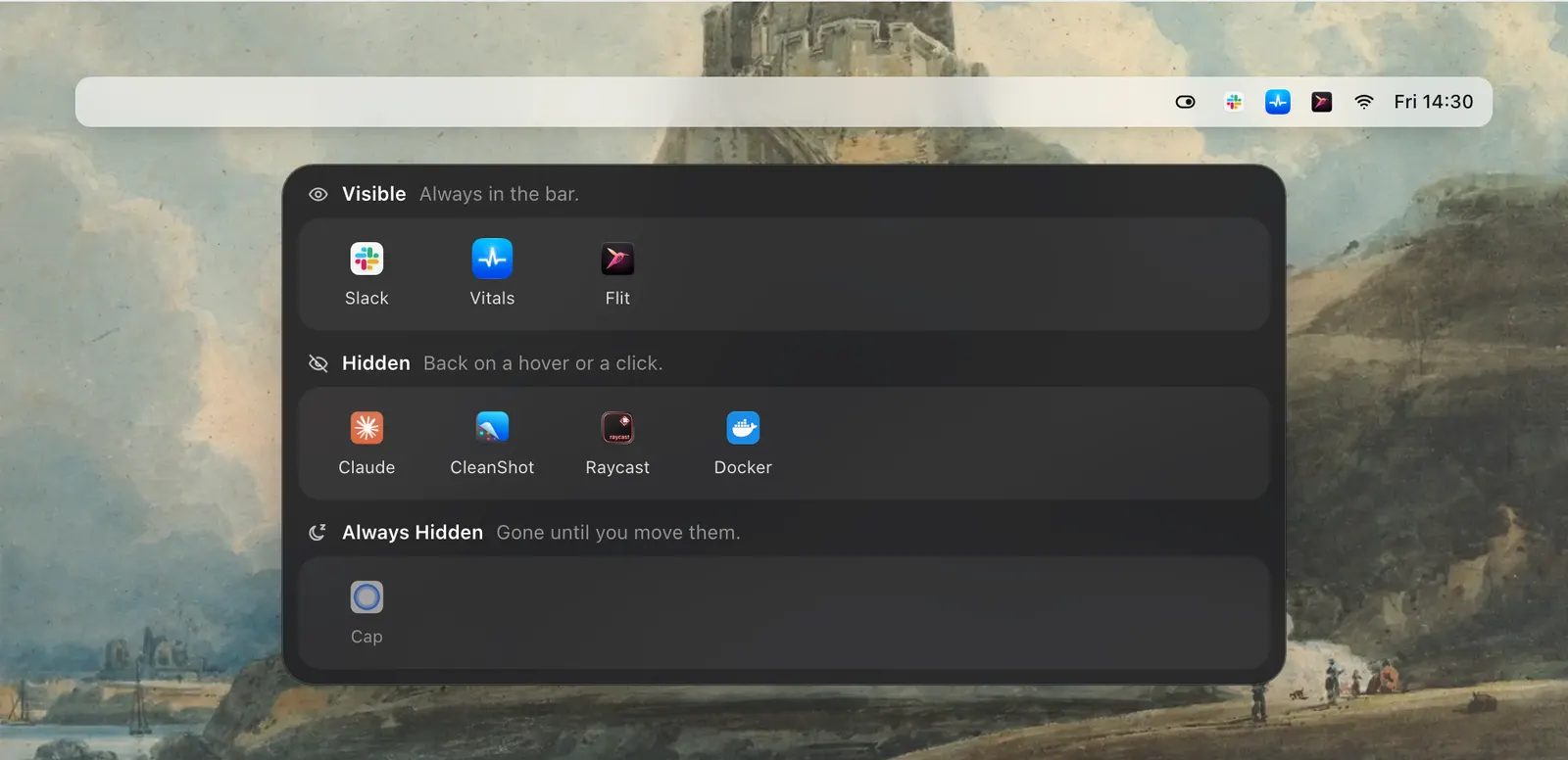
On macOS 27, Settings › Menu Bar lists every icon in your bar on three shelves: Visible, Hidden and Always Hidden. Drag an icon to a shelf and its app keeps running. Point at the bar, click the small mark or press a hotkey, and the hidden ones come back.
Recording Mode
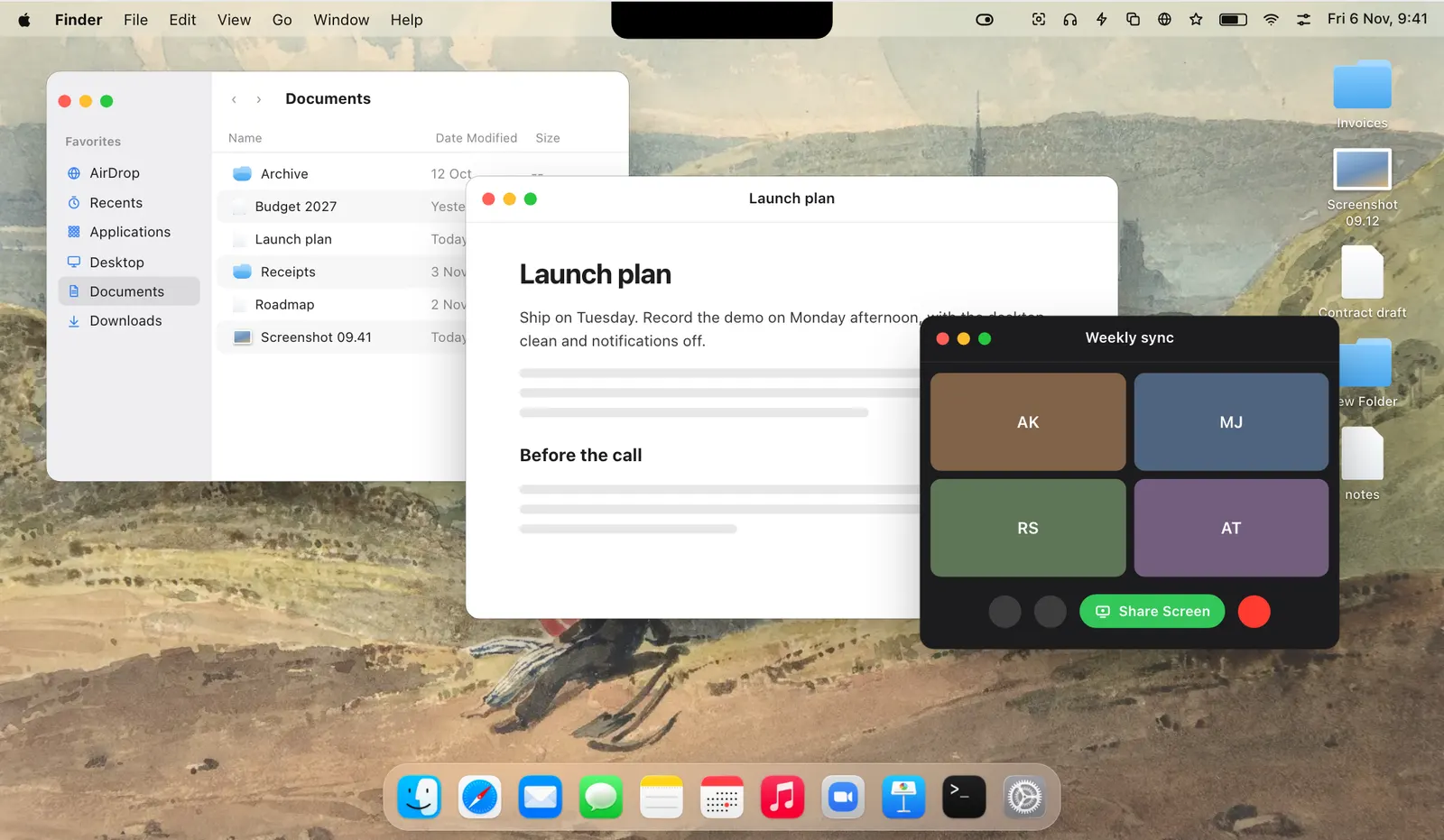
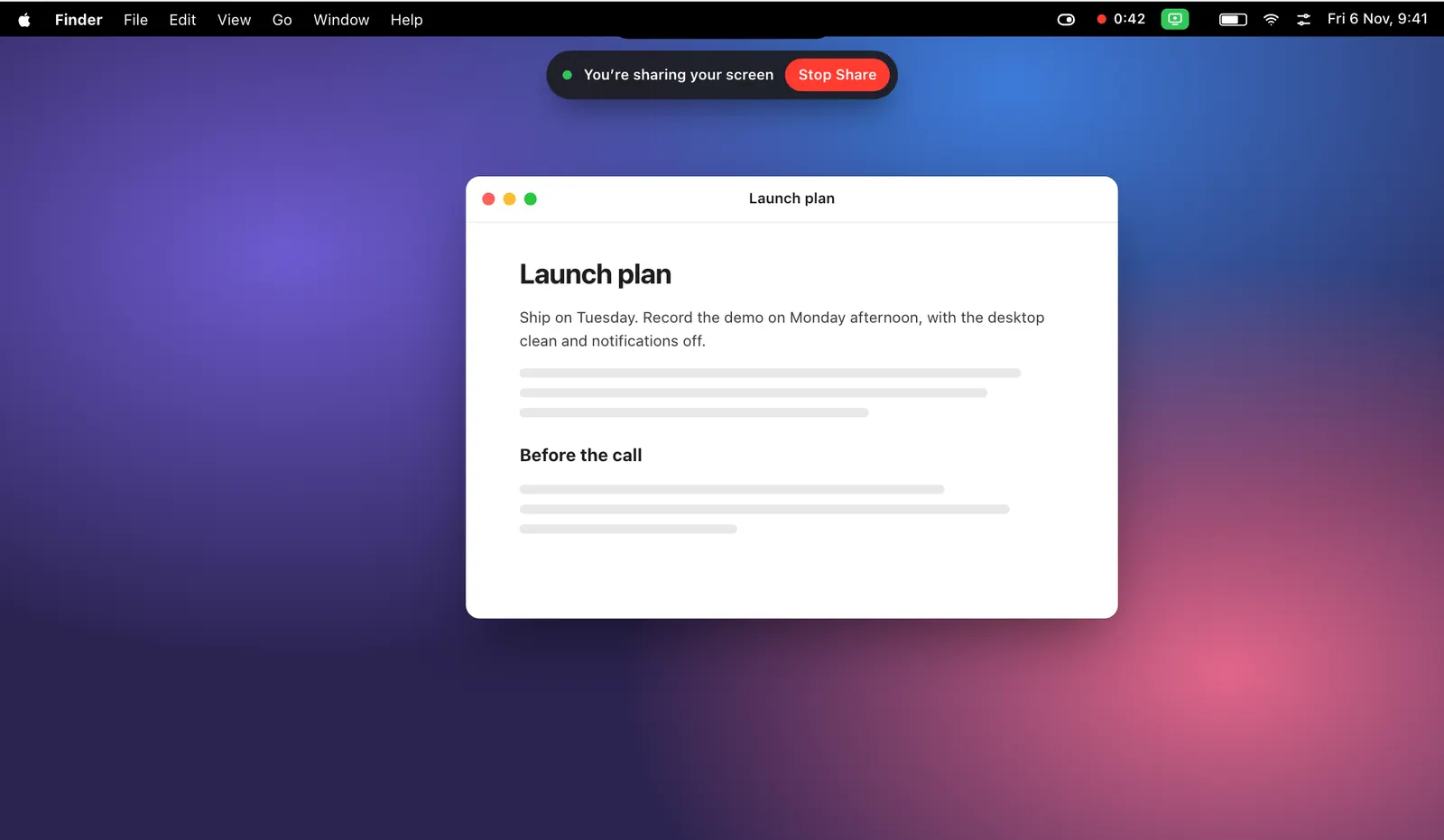
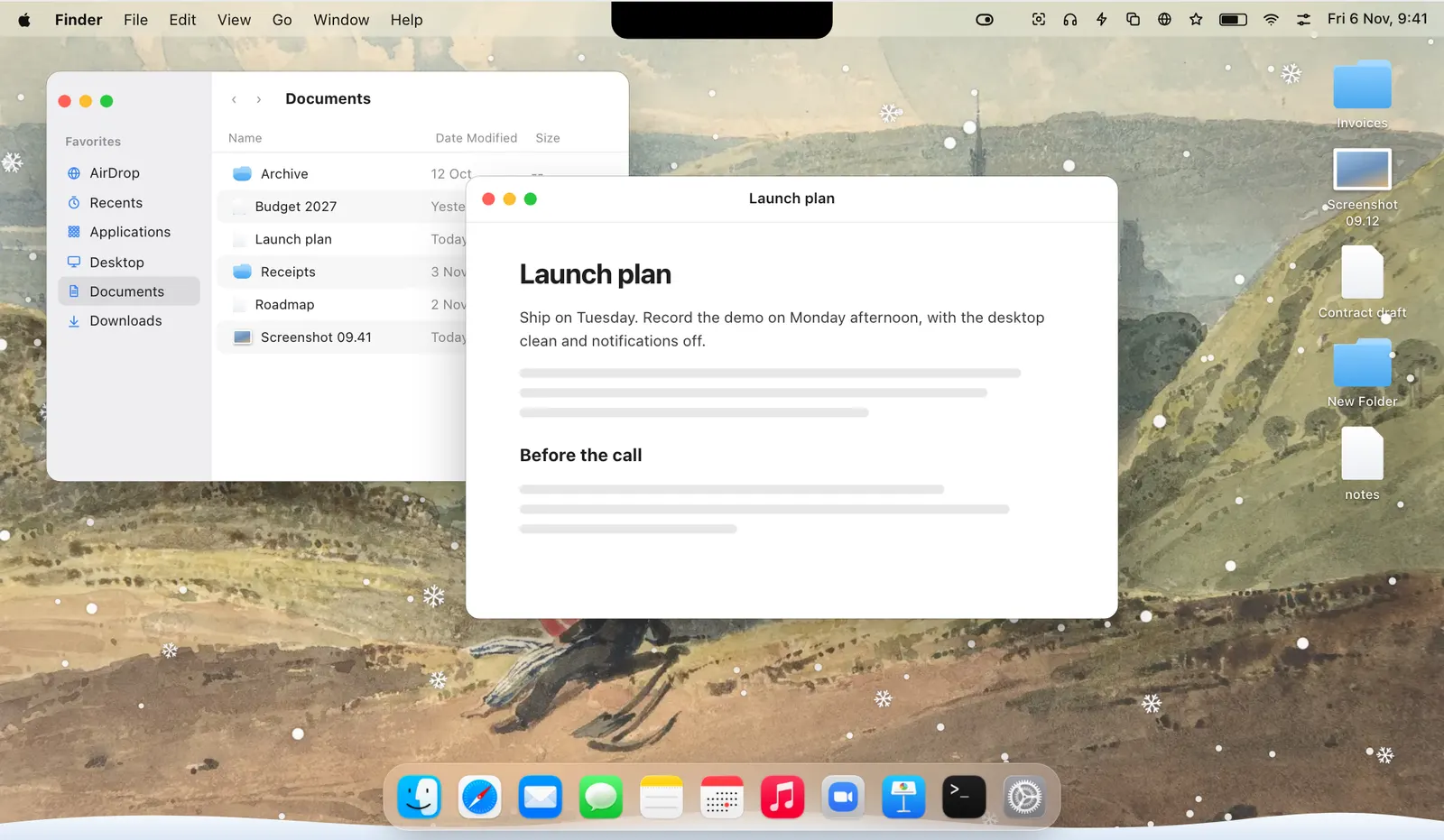
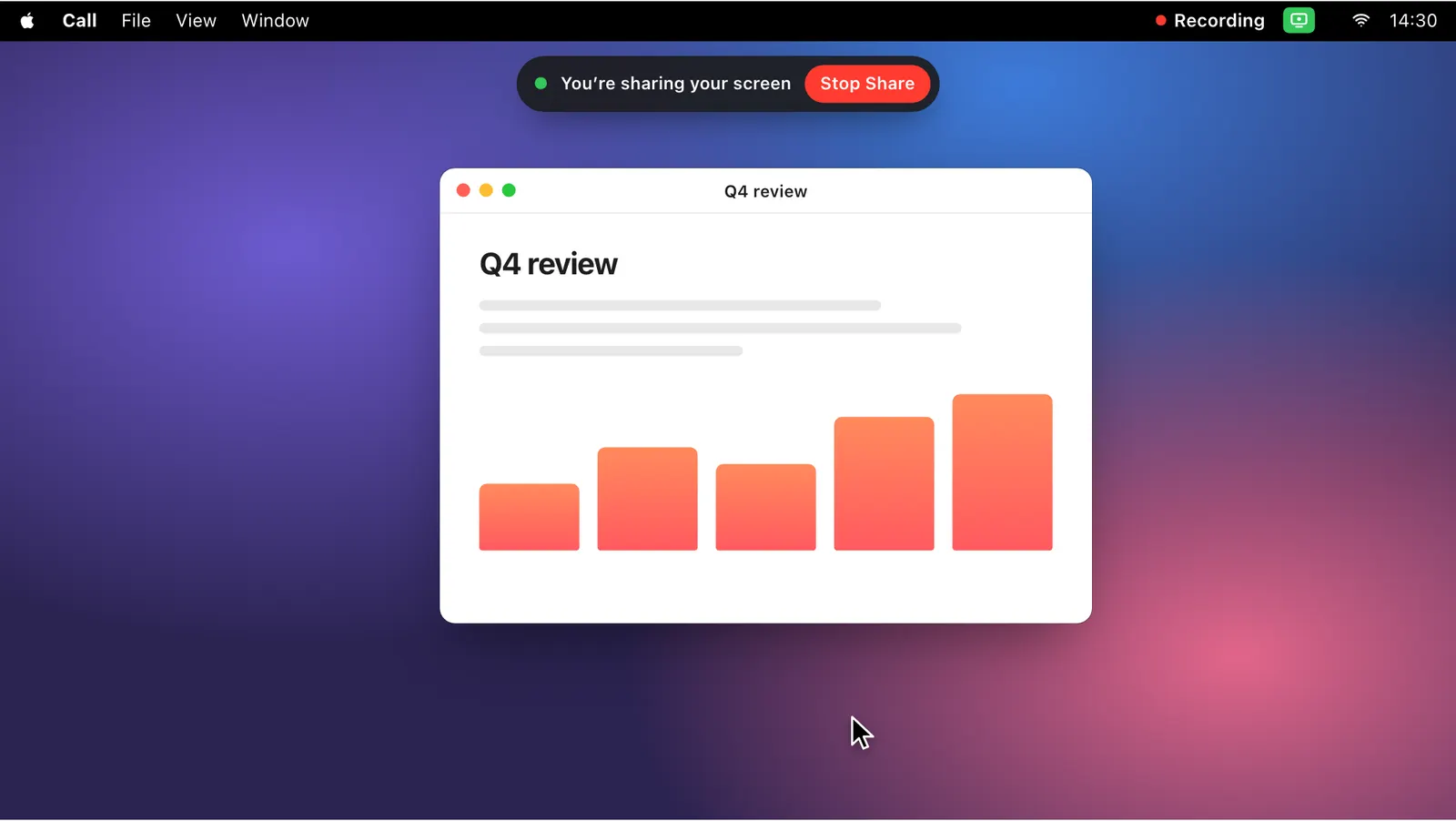
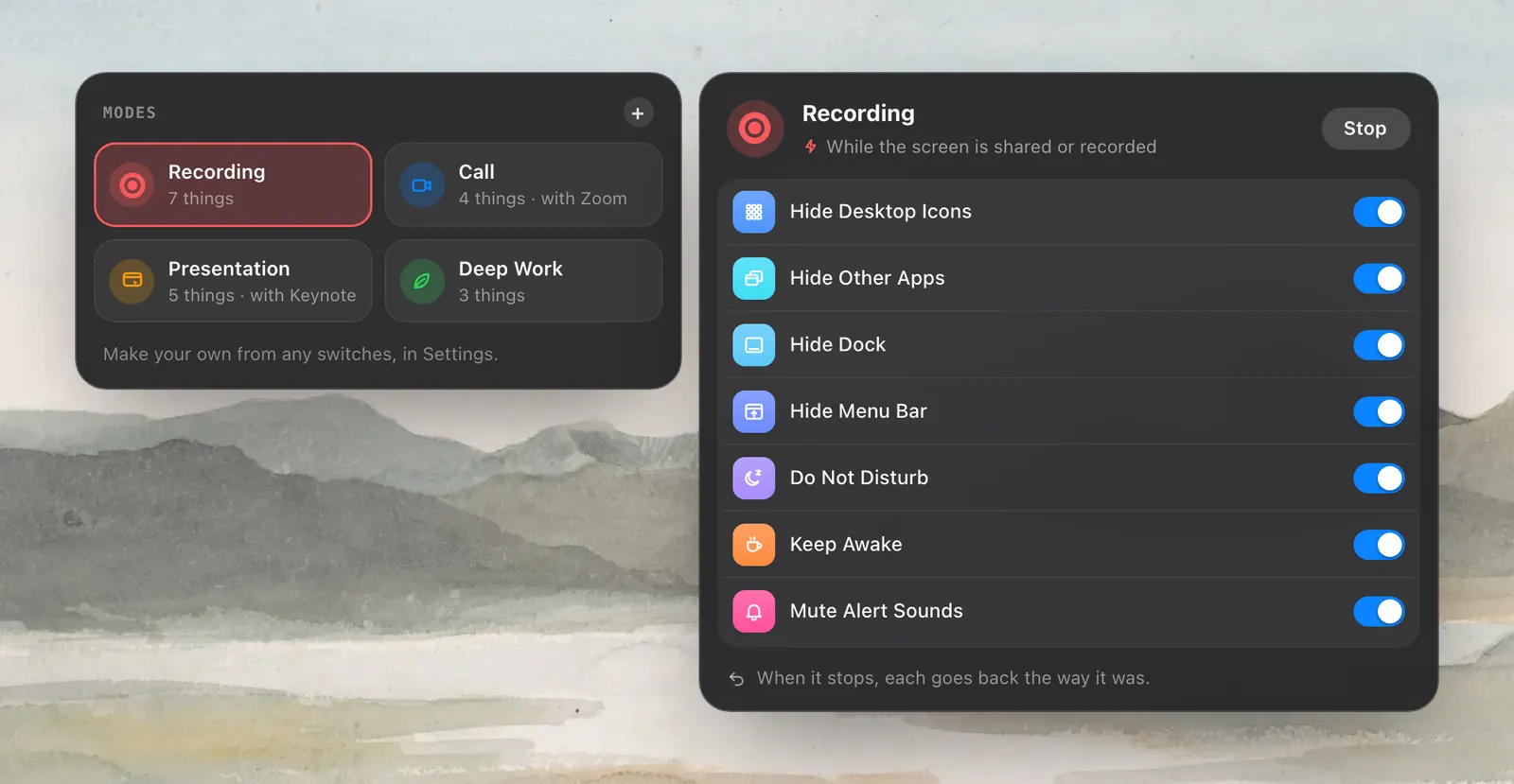
When Zoom, Meet, Teams, Screen Studio, QuickTime or any other app starts capturing your screen, Recording Mode starts by itself. It hides desktop icons, other apps, the Dock and your menu bar icons, turns on Do Not Disturb, keeps the Mac awake and mutes alert sounds. When the capture ends, each thing goes back.
Modes
A mode is a set of switches for one job, like a call or an hour of deep work. One click sets them all, and stopping it returns each one. A mode can also start by itself: when an app opens, on a Wi‑Fi network, on the charger or on battery, or at a time.
The switches
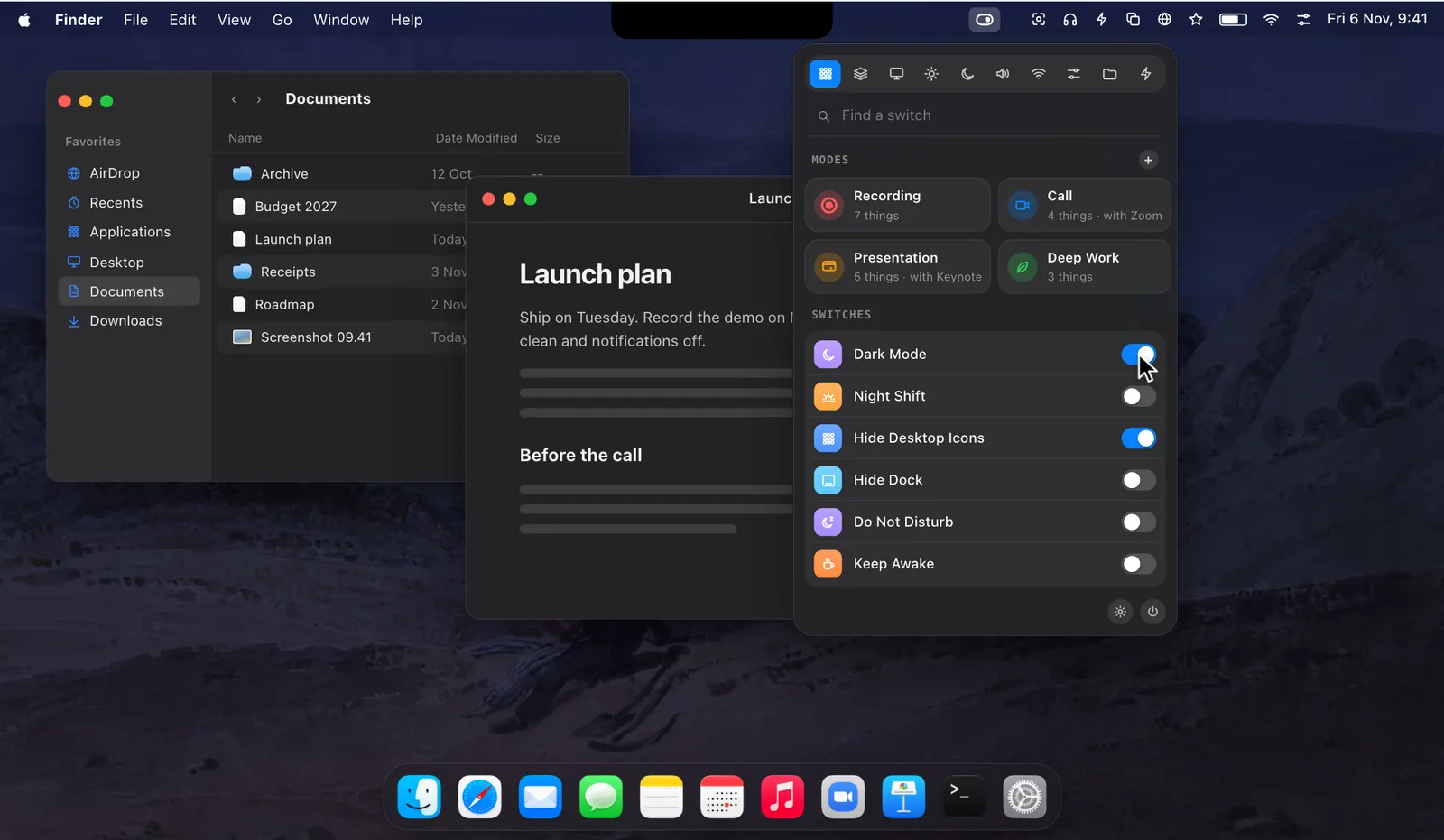
The dropdown has a tab for each group: Screen, Display, Focus & Power, Sound, Connections, System, Finder and Actions. Between them are sixty switches and actions, from Dark Mode and Keep Awake to Caps Lock as Escape and Hide the Notch. Keep the ones you use on the Overview and hide the rest.
The palette
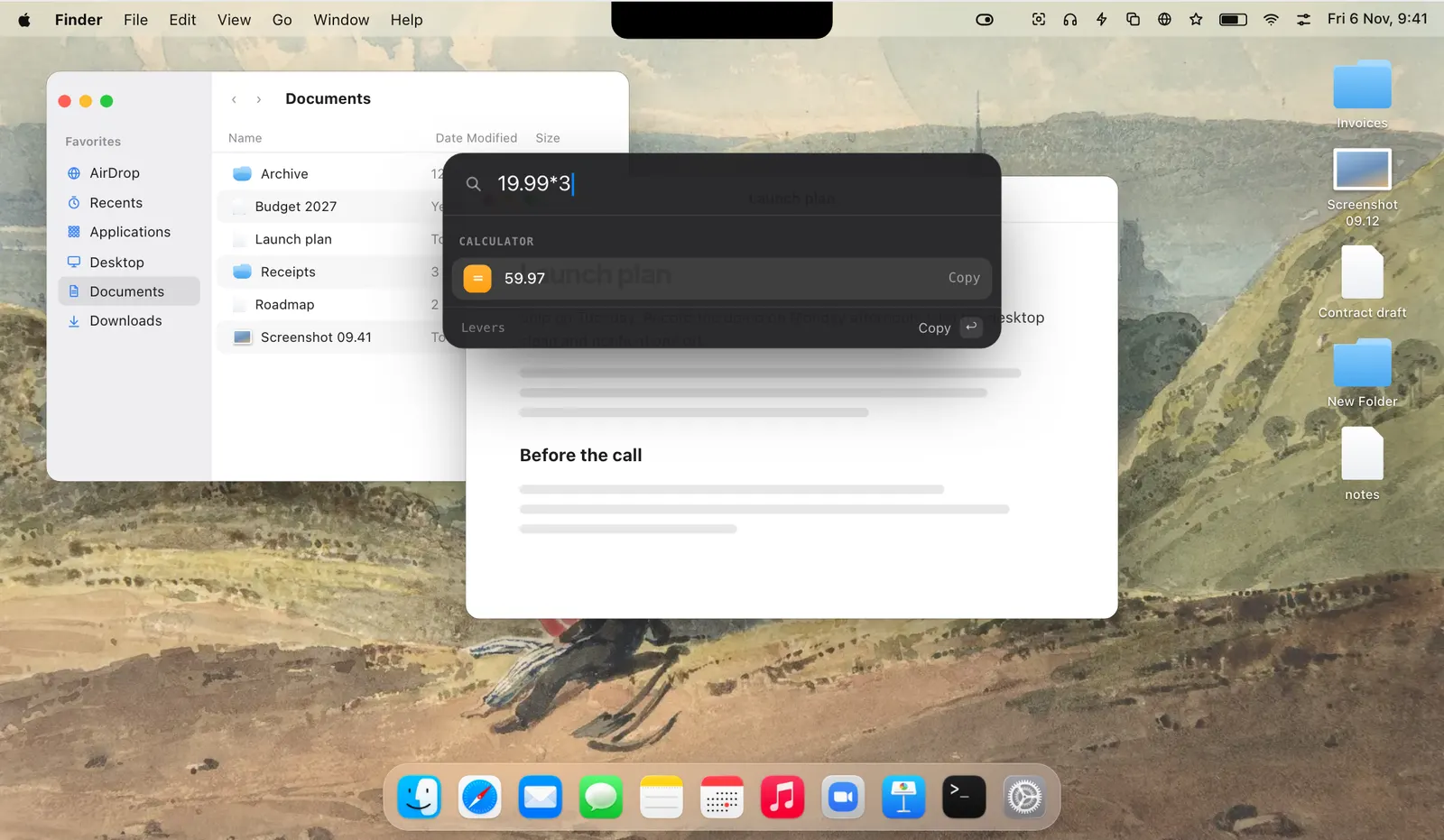
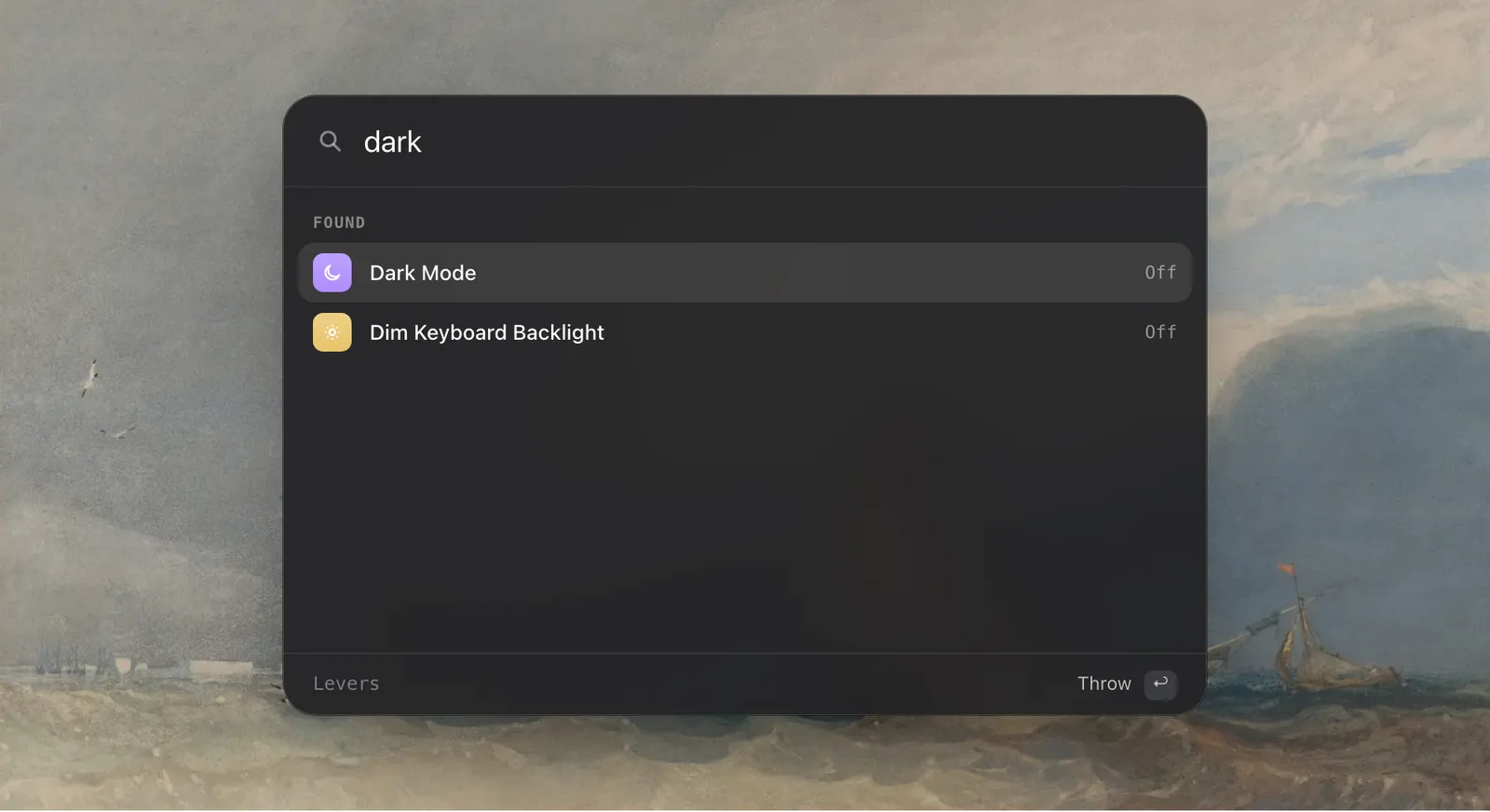
Press ⌃⌥Space in any app and type a few letters. Return turns a switch on or off, starts a mode, or opens a menu bar icon by its app’s name, hidden ones included. The palette also does sums and finds emoji, and Return copies the answer.
Finder
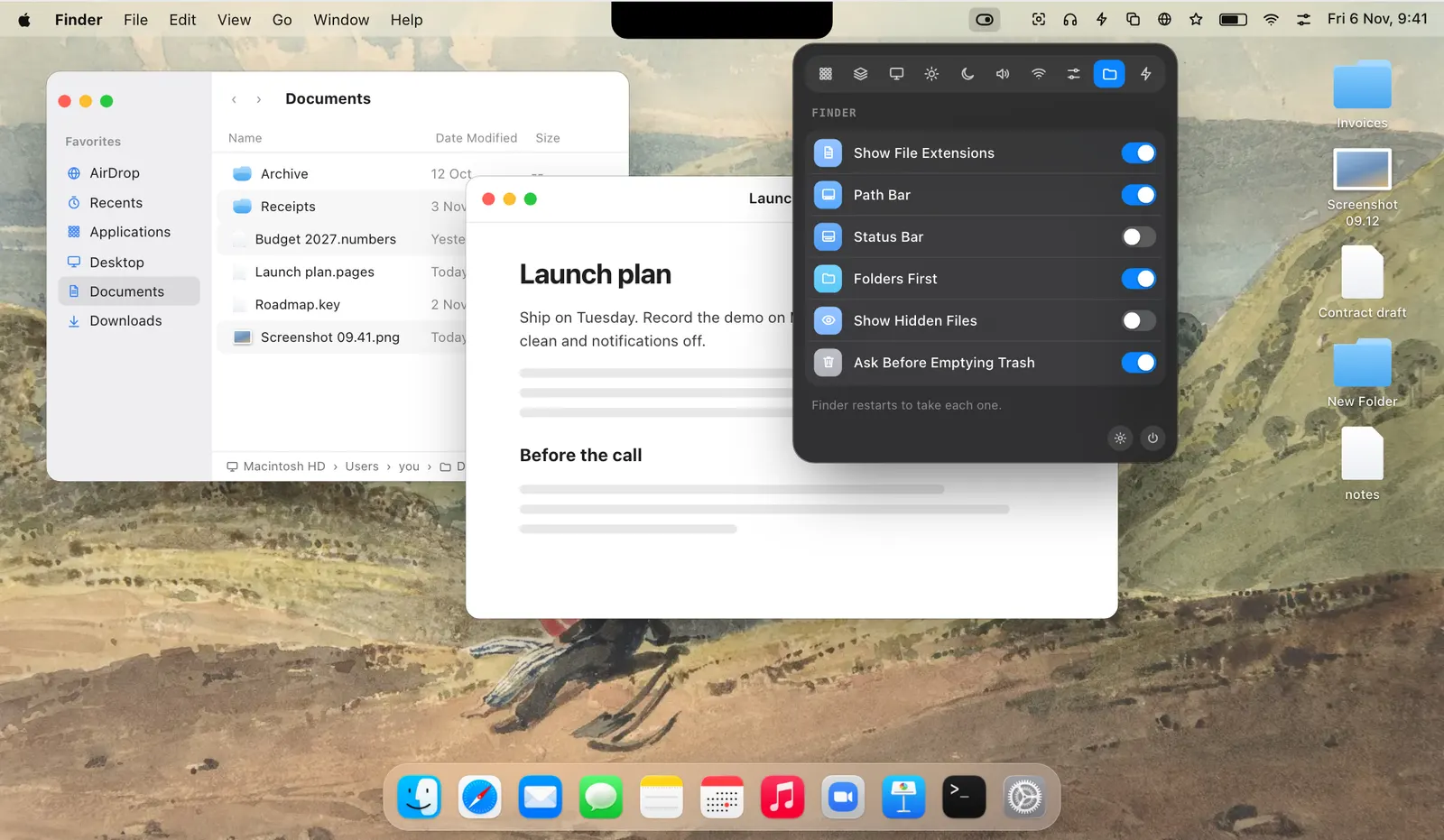
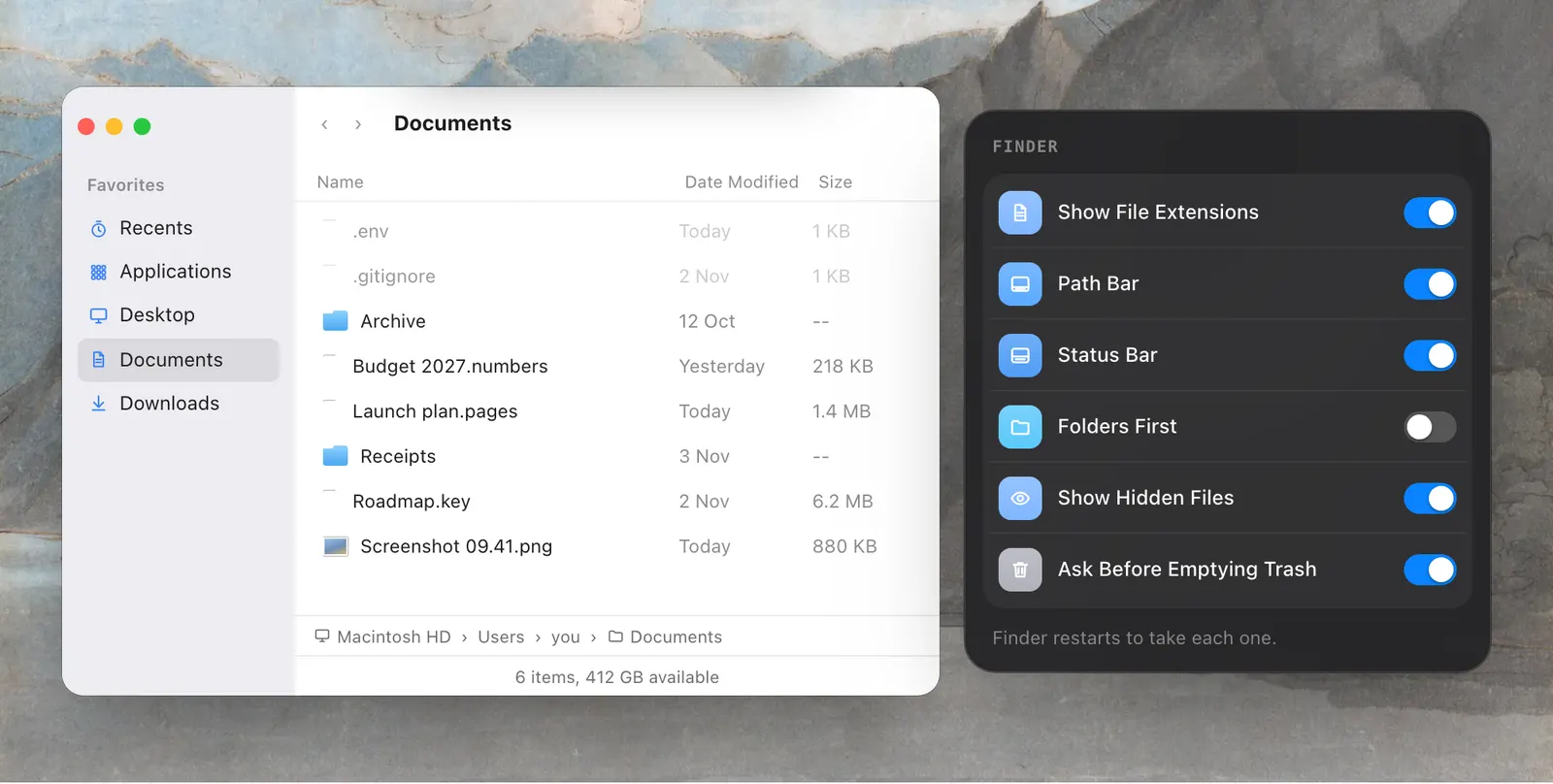
Hidden files, file extensions, the path bar, the status bar and folders first are the Finder settings people look up a command for. In Levers each is a switch, and Finder restarts by itself so the change shows at once.
Features
Each feature has a page of its own.
Privacy
Levers reads only what a switch needs to change a setting and put it back. Nothing about your Mac, your apps or what you do is sent anywhere.
Pricing
$6.99 for one Mac until 5 December, 76% off the regular $29. One payment, every update after it, and no subscription. One payment, every update after it, and no subscription.
$6.99 Regular price $29
One-time
$9.99 Regular price $58
One-time · $5 a Mac
$19.99 Regular price $145
One-time · $4 a Mac
Prices in US dollars; any sales tax or VAT is shown at checkout. macOS 15 or later · Apple silicon or Intel.
Not sure yet? Download Levers and try it free for 3 days.
Your licence key arrives by email the moment you pay. 14-day refund if it is not for you.
Checkout by Paddle, our merchant of record. Atta Ur Rehman Shah trades as Fore Studio.
The bundles
One key for all of them, one Mac for each app, every update included.
Flit, Vitals, Levers and SoundBar, yours for life.
$69 Regular price $206 once
You save $137
The apps out today, and every app we make after them.
$99 Regular price $299 once
You save $200, and every new app is yours
Secure checkout by Paddle · Your key by email in seconds · 14-day refund · What is in each
Questions
Something else? Email [email protected]. A person answers, usually the same day.
macOS 15 Sequoia or later, on Apple silicon and Intel Macs. The menu bar shelves need macOS 27. On macOS 15 and 26, Hide Menu Bar covers the bar with a clean one or hides the whole bar, and every other switch works the same.
Yes. Choose the 3-day trial in the app’s welcome and you get every switch and every mode, with no account and no card.
Download the disk image from leversmac.com, or install it with Homebrew: brew install --cask foredotstudio/tap/levers. Levers updates itself either way.
Only what a switch needs, the first time you use it: Accessibility for menu bar icons and Lock Keyboard, control of System Events for the Dock and Dark Mode, Bluetooth for AirPods. Say no, and only that switch stops working.
Yes. It starts when any app captures your screen, such as Zoom, Meet, Teams, Screen Studio or QuickTime, and stops when the capture ends. A screenshot doesn’t start it, and you can turn the automatic start off in Settings › Modes › Recording Mode.
Yes. Levers writes down how each thing was before it changes it, and undoes the changes in reverse. Anything you changed back yourself stays as you left it. If Levers quits or the Mac restarts, the next launch puts it all back.
No. macOS 27 hides or shows all of an app’s icons together, so an app with several, such as iStat Menus, goes or stays as a whole.
Yes. In Settings › Switches each switch goes on the Overview, in its tab, or Hidden. Drag it, or right-click it.
Yes. Every switch and mode is an action in the Shortcuts app, Siri knows your modes by name, and links like levers://dark-mode/toggle work from Raycast, Alfred, a Stream Deck or a script.
No. You pay once and keep the licence, with every future update included.
As many as you buy it for. One key works on all of them, and you can move it from one Mac to another yourself in Settings › License.
Yes. Fore Plus has Levers, Flit, Vitals and SoundBar, and Fore Insider has those and every app the studio releases later. Each is one payment and one key, with every update.
Yes. You have 14 days from buying, and no reason is needed.
Look it up at apps.fore.studio/manage with the email you paid with, and it is sent to you again.
No. There is no account and no analytics in the app. It goes online only to check your licence and for updates.
Your key, your Mac’s name, your macOS and Levers versions, and an anonymous ID made from a one-way hash of your Mac’s hardware ID. The name is there so you can tell your Macs apart when you move a licence.
No. It needs Accessibility only, to see which icons are in the bar. macOS does the hiding.
Your settings, in macOS preferences, and your licence, in your Keychain. While Recording Mode is on, a small journal of what it changed is kept on disk so everything can be put back, and it is deleted when Recording Mode ends.
Both hide chosen icons on macOS 27 and bring them back on a hover, a click or a hotkey. Bartender adds a bar of its own and styles for the bar. Levers adds its switches, modes and Recording Mode, and asks for Accessibility only.
Not for the menu bar, because both would hide and show the same icons. Quit one before you sort icons with the other. The switches and modes work either way.
Its maker hasn’t said. Ice has had no stable release since October 2024. Thaw began as a fork of it and is the one being kept up.
One Switch has switches such as desktop icons, Dark Mode, keep awake and Do Not Disturb, turned one at a time. Levers adds modes and Recording Mode, which change many at once and put them all back.
Compared
| Levers | Bartender 7 | One Switch | |
|---|---|---|---|
| Hide chosen menu bar icons on macOS 27 | Yes, on three shelves | Yes | Not listed |
| Open menu bar icons from the keyboard | The palette, ⌃⌥Space | Command Bar | Not listed |
| Needs Screen Recording | No, Accessibility only | Optional | Not stated |
| A bar of its own for hidden icons | No | Yes | Not listed |
| Mac settings, one click each | Sixty switches and actions | No, menu bar only | Yes, one at a time |
| Many settings at once, put back after | Modes and rules | No | No |
| Clears your screen when you share | Yes, Recording Mode | No | No one-click cleanup |
Guides
 Flit Dictation that never leaves your Mac. Productivity · macOS 14 or later $15
 Vitals The Activity Monitor alternative for Mac. Utilities · macOS 15 or later $12.99
 SoundBar A volume for every app, in the notch. Utilities · macOS 15 or later $6.99
 Rimlight A screen-recording studio for macOS. macOS Coming soon
Free for 3 days, and a full refund for 14 days after you buy.
Also at leversmac.com