


1 Mac 76% off
$6.99 Regular price $29
One-time
- 1 Mac
- All features
- Every update, for life
- For your own Mac.
SoundBar puts a volume slider for every app in your MacBook’s notch, or in the menu bar. Turn the music down and leave the call where it is.
Black Friday $6.99 Regular price $29, paid once, until 5 December $6.99 Regular price $29, paid once
3-day free trial · 14-day refund · macOS 15 or later · Apple silicon or Intel
Loved by 2,000+ Mac users
What is SoundBar
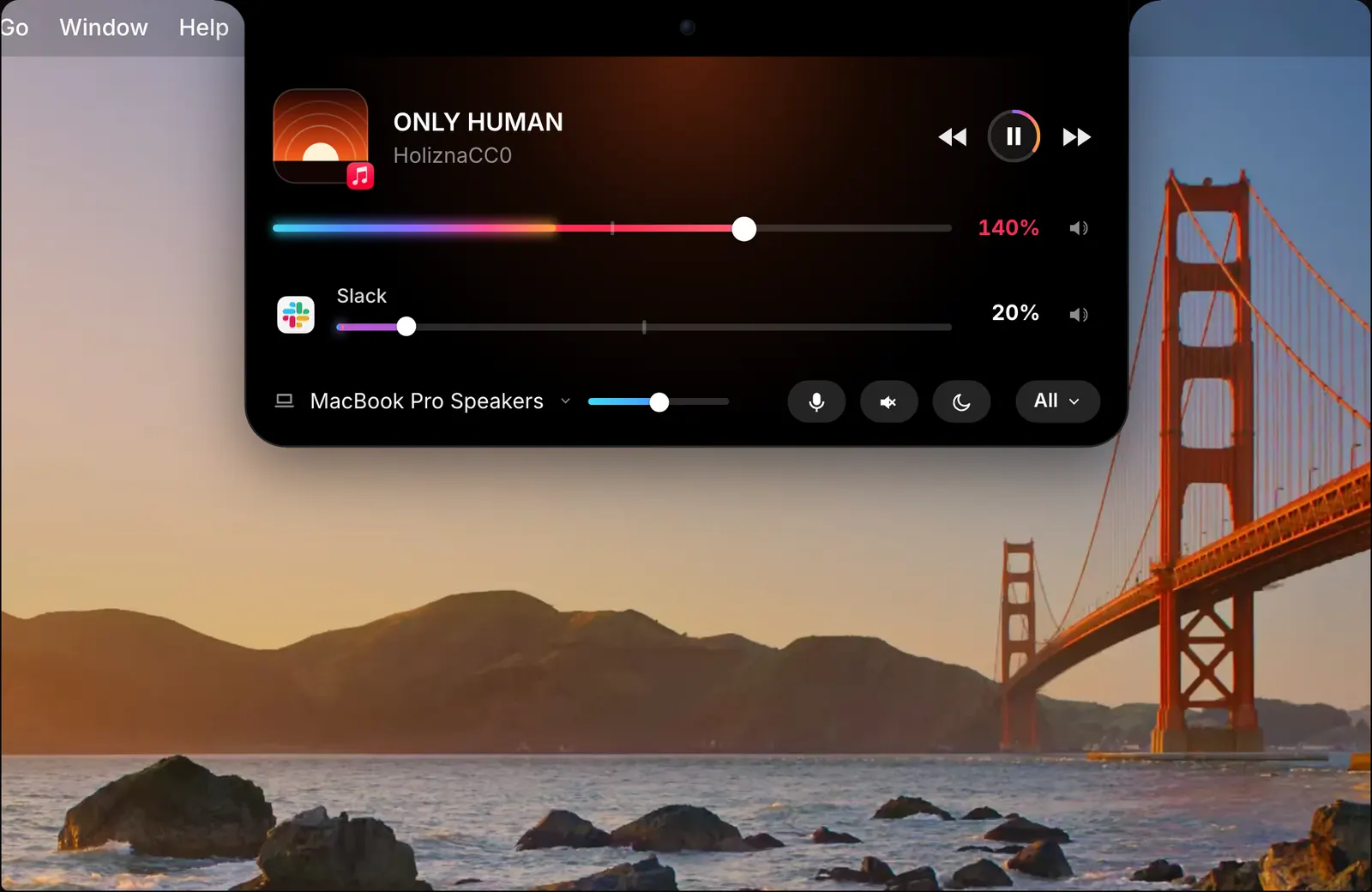
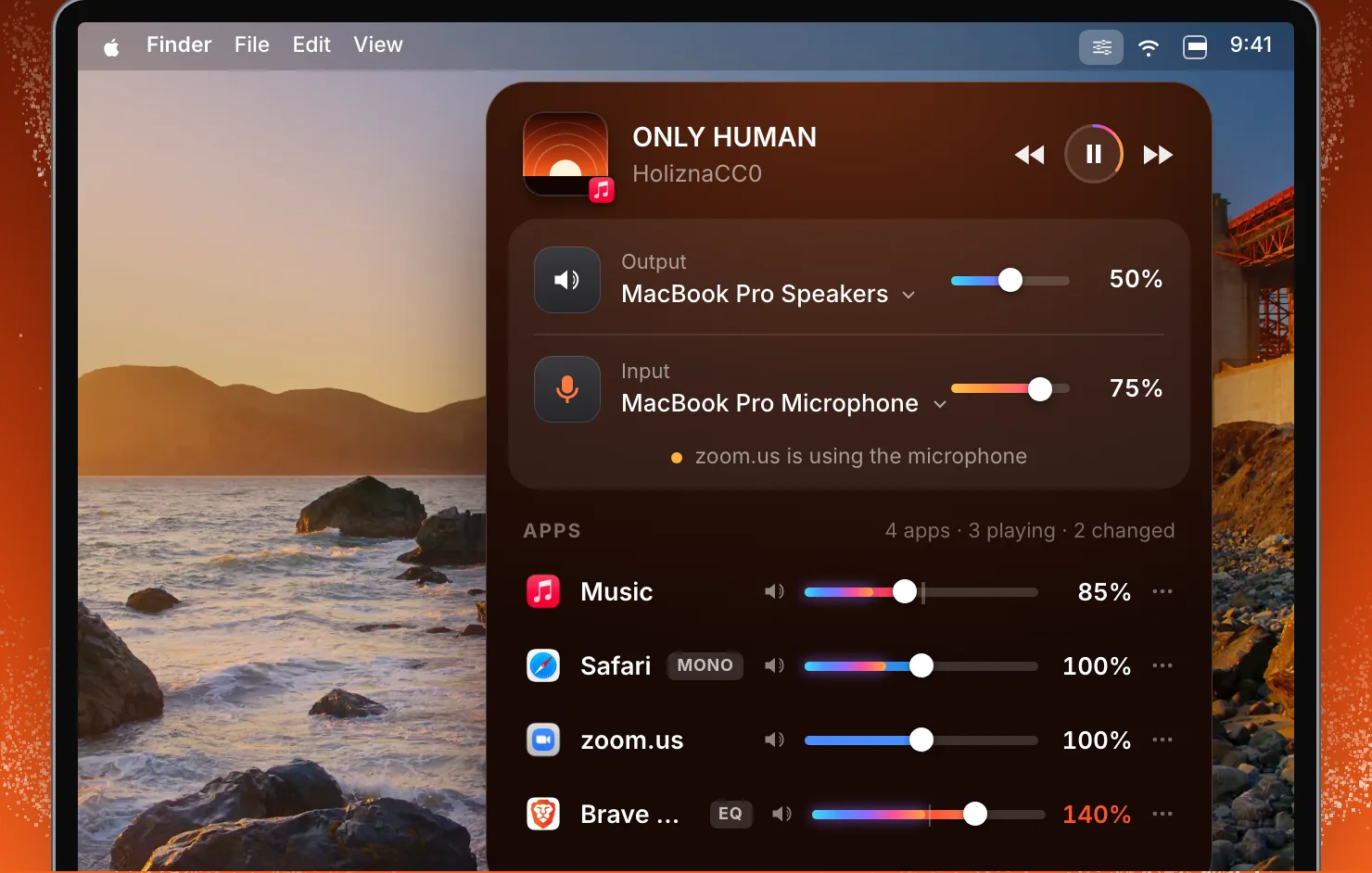
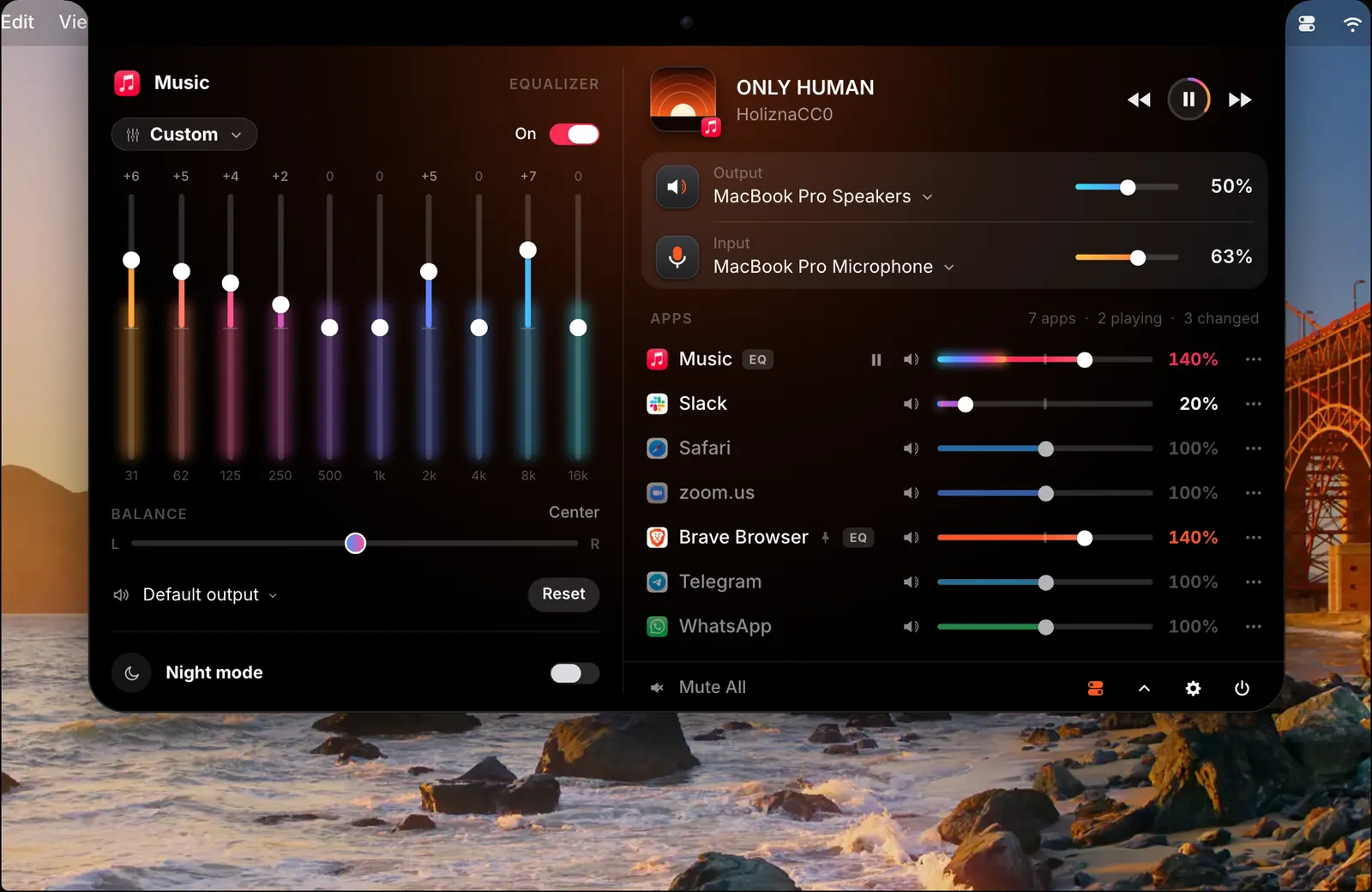
macOS has one volume for everything. SoundBar gives each app that plays sound its own slider, mute button, 10-band equalizer, balance and output device, and keeps them in the notch where you can reach them.
It is for anyone with a call, a song and a browser tab playing at once: people on video calls all day, people who work to music, and people who move between speakers and headphones.
It does more than mix. A dial comes out of the corner of the screen, the trackpad’s edge changes the volume, sound follows your headphones when they connect, and the other apps fade down when a call starts.

Per-app volume
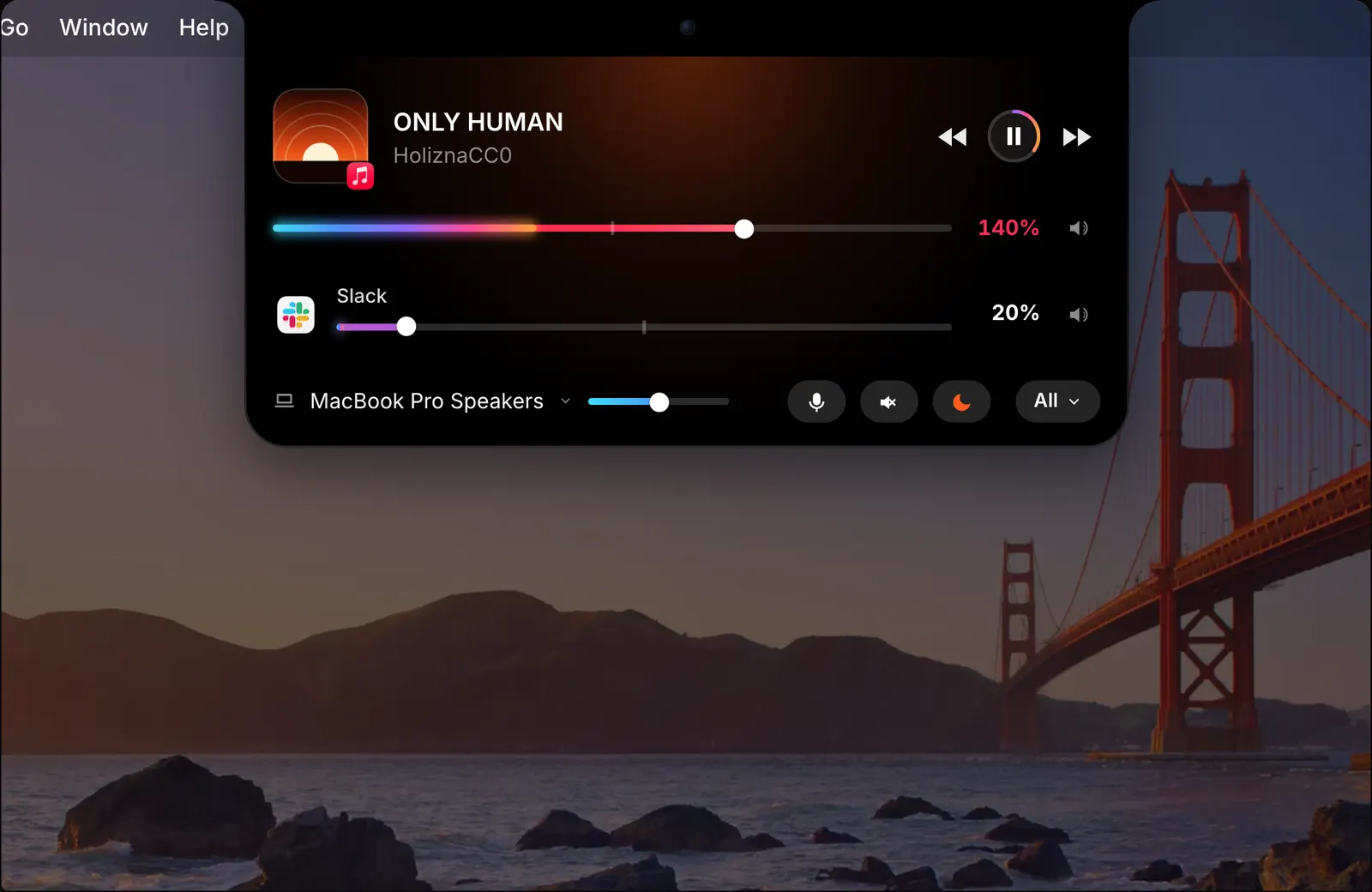
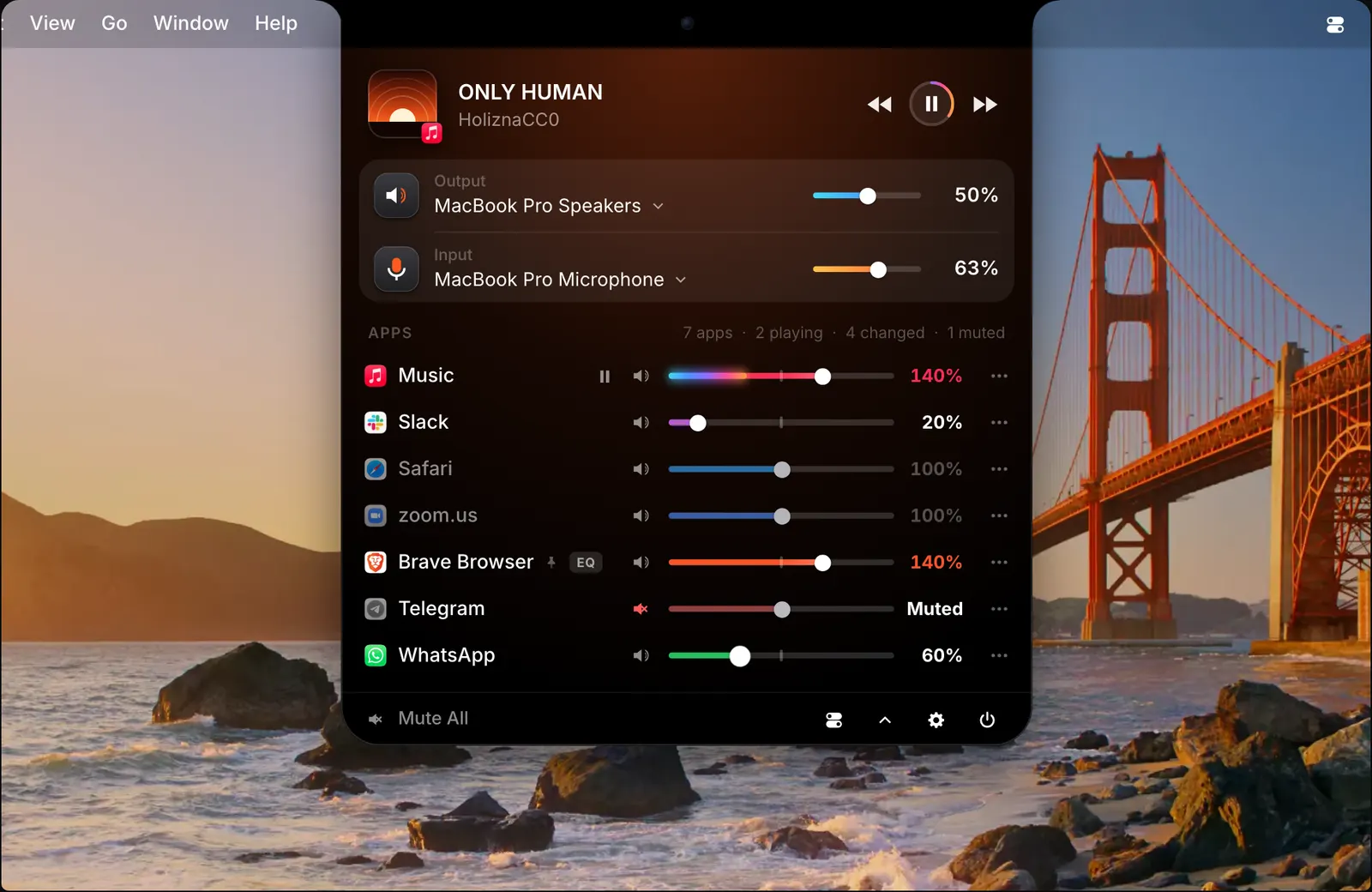
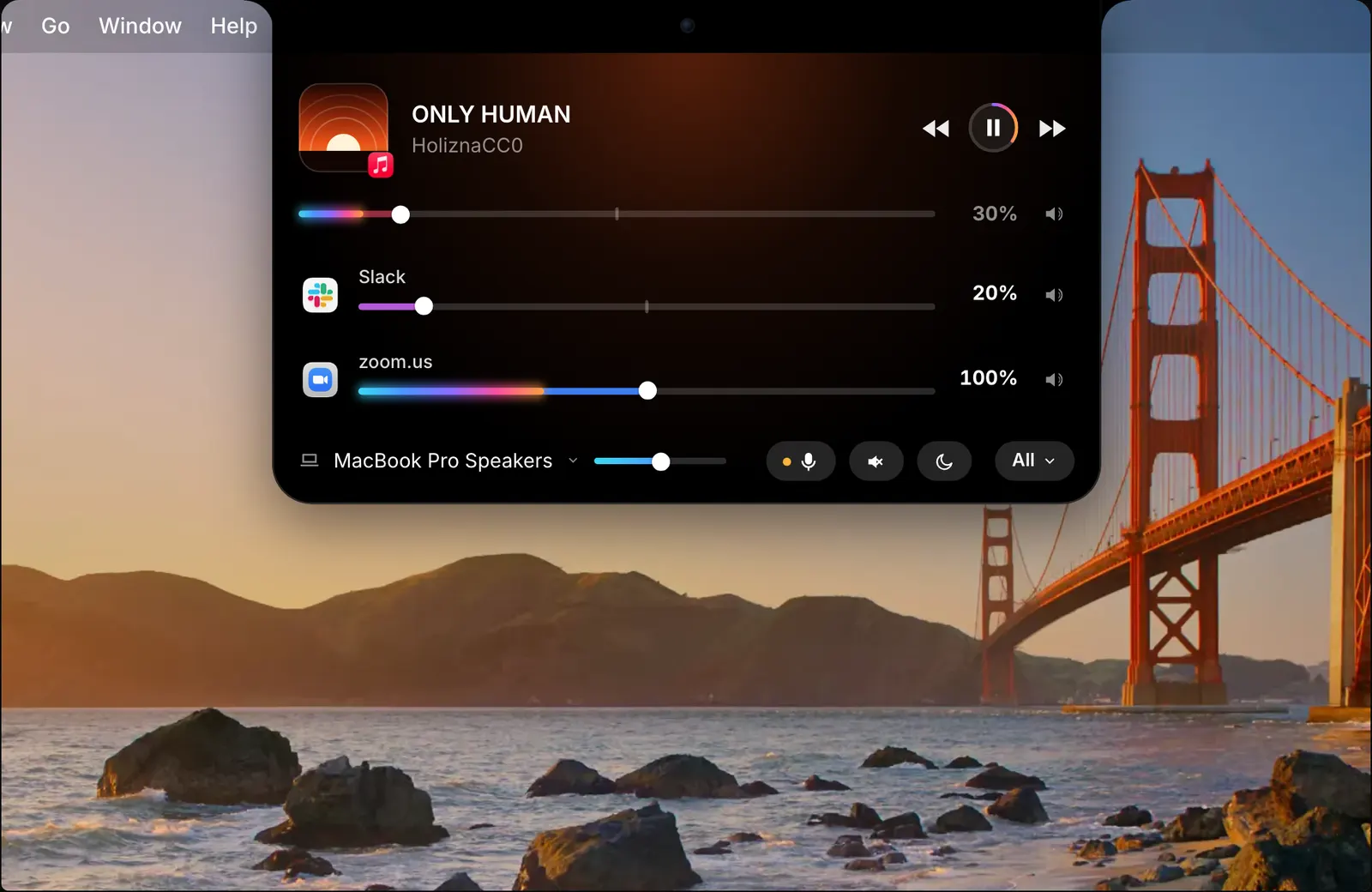
Open the notch and you see the song that is playing and each app making sound, with a slider and a mute button for each. Click All for every app, the Mac’s output and the microphone. An app keeps its volume the next time it opens.
Equalizer
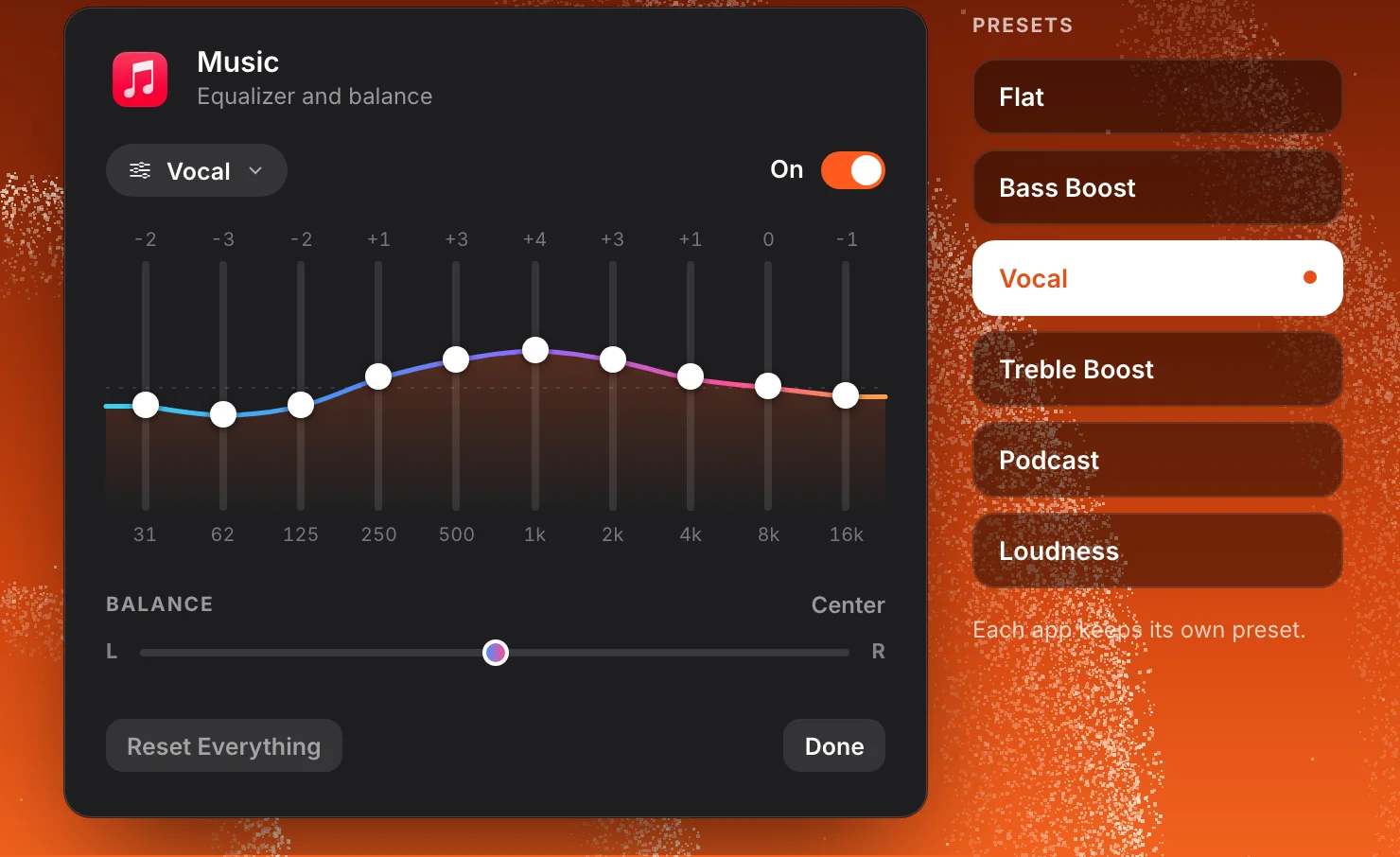
Each app has a 10-band equalizer and a left-right balance. Pick a preset, then move any band. The settings belong to that app alone and are saved with it.
Corner dial
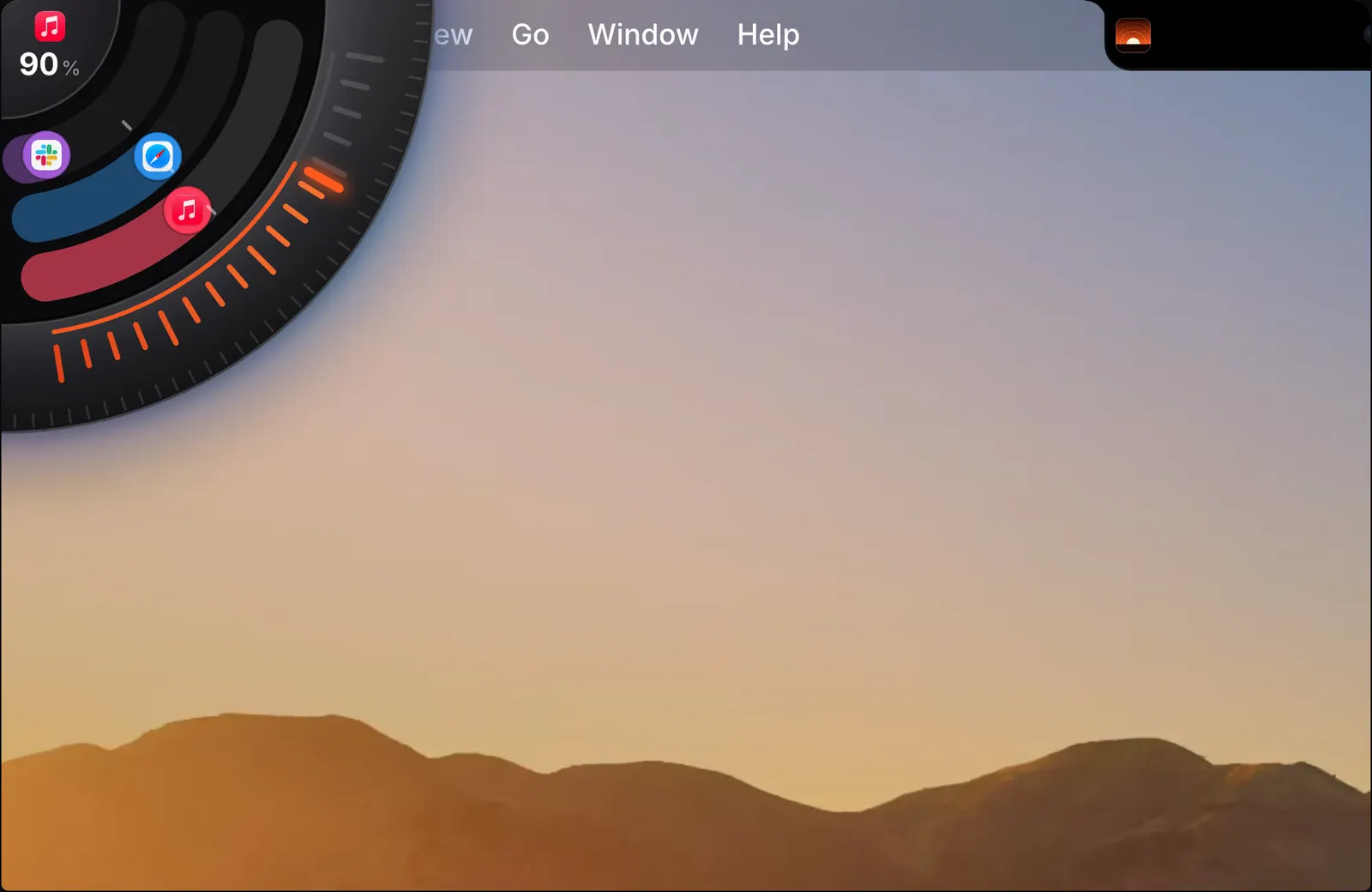
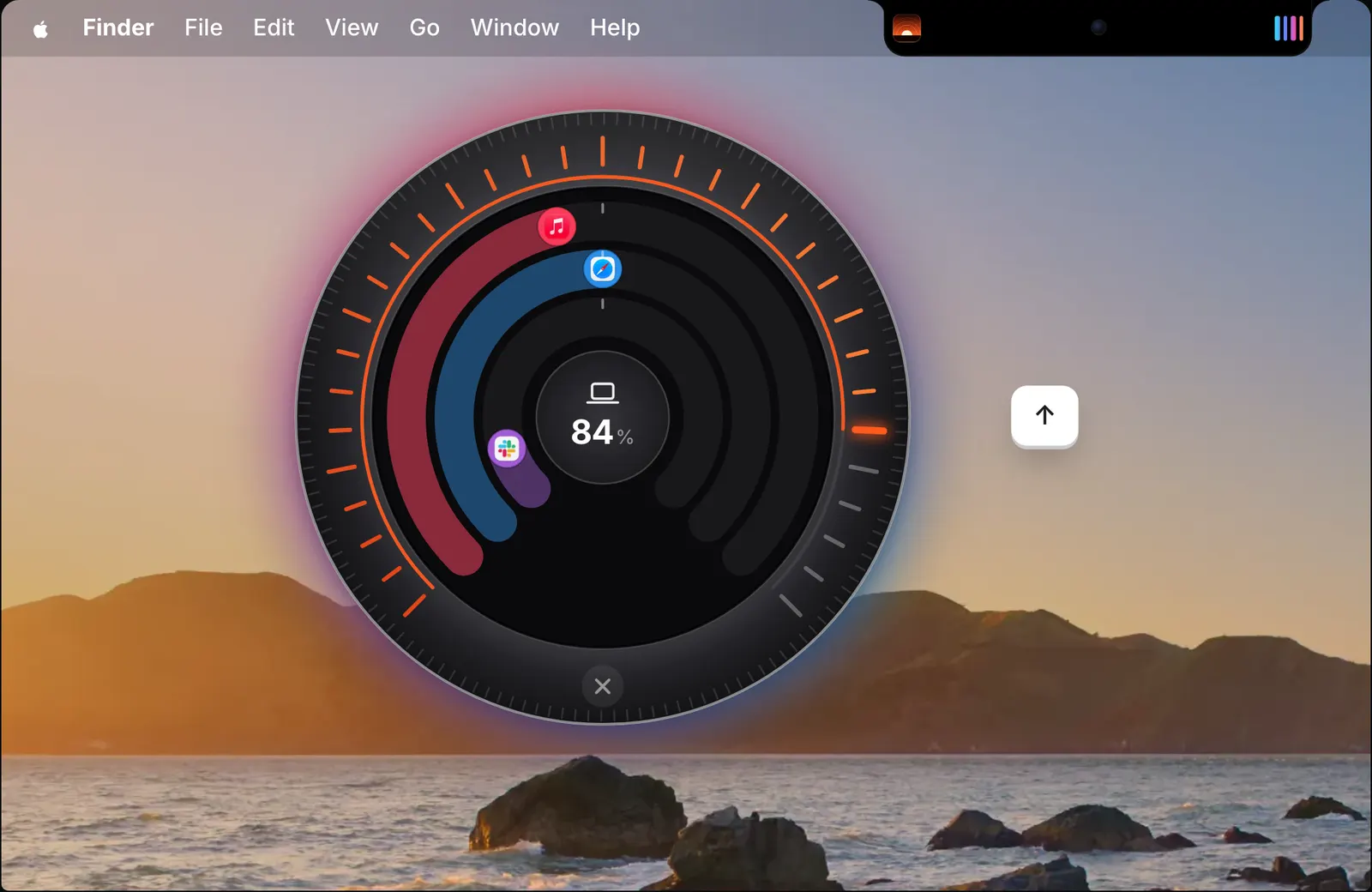
Push the pointer into a corner and a dial comes out. Its rim is the Mac’s volume and each ring is an app that is playing. Scroll or drag to turn it, click to mute. It works with any mouse and needs no extra permission.
Output switching
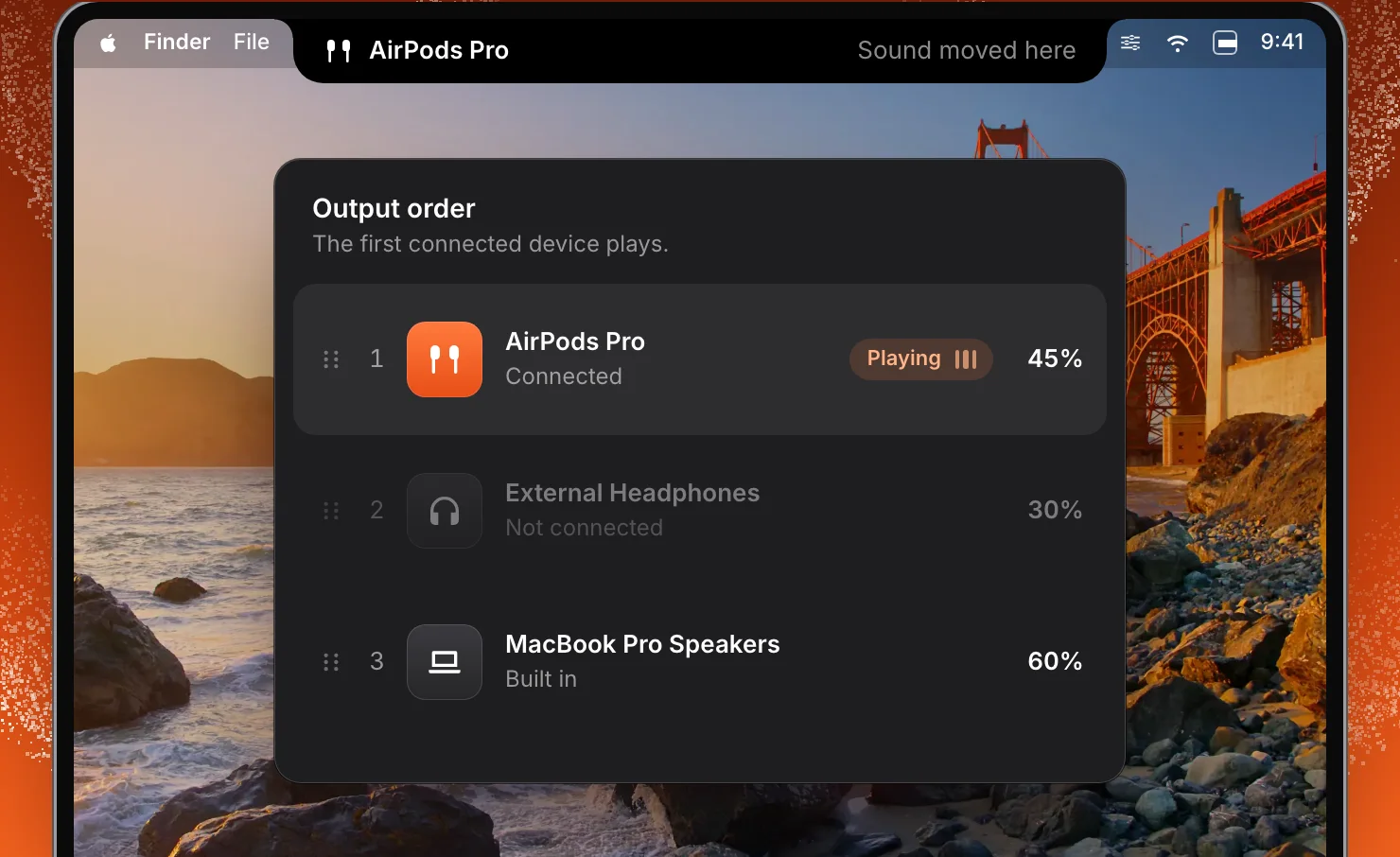
Put your outputs in the order you prefer. SoundBar switches to the first one that is connected, at the volume it had last time, so headphones never start at speaker volume.
Calls
When an app starts using the microphone, the others fade down, to 30% by default, and come back when the call ends. SoundBar sees which app has the microphone. It never reads the microphone’s audio.
Commands and shortcuts
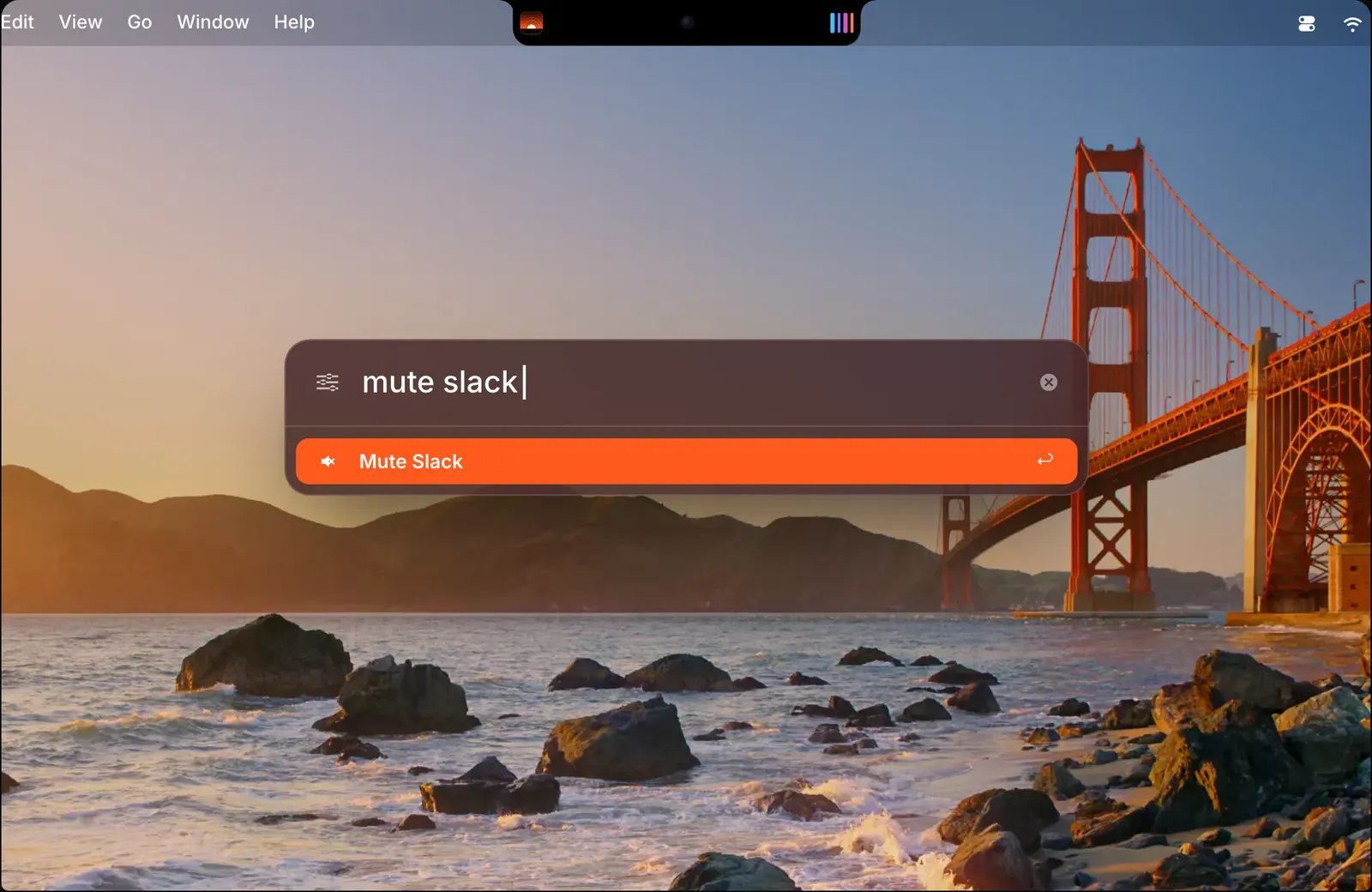
Press ⌃⌥Space in any app and type a command, such as “mute Slack”, “Spotify 40” or “Music through AirPods”. Press Return and the notch confirms it.
Features
Each feature has a page of its own.
Privacy
To change an app’s volume, SoundBar passes that app’s sound through itself, on your Mac, as it plays. It keeps none of it. Nothing is recorded, stored or sent anywhere, and the app has no account and no analytics.
Pricing
$6.99 for one Mac until 5 December, 76% off the regular $29. One payment, every update after it, and no subscription. One payment, every update after it, and no subscription.
$6.99 Regular price $29
One-time
$9.99 Regular price $58
One-time · $5 a Mac
$19.99 Regular price $145
One-time · $4 a Mac
Prices in US dollars; any sales tax or VAT is shown at checkout. macOS 15 or later · Apple silicon or Intel.
Not sure yet? Download SoundBar and try it free for 3 days.
Your licence key arrives by email the moment you pay. 14-day refund if it is not for you.
Checkout by Paddle, our merchant of record. Atta Ur Rehman Shah trades as Fore Studio.
The bundles
One key for all of them, one Mac for each app, every update included.
Flit, Vitals, Levers and SoundBar, yours for life.
$69 Regular price $206 once
You save $137
The apps out today, and every app we make after them.
$99 Regular price $299 once
You save $200, and every new app is yours
Secure checkout by Paddle · Your key by email in seconds · 14-day refund · What is in each
Questions
Something else? Email [email protected]. A person answers, usually the same day.
Yes. Download SoundBar, choose Try Free, and use every feature for 3 days with no account and no card. After that it needs a licence.
macOS 15 Sequoia or later, on Apple silicon and Intel Macs.
No. On a Mac without a notch, SoundBar runs in the menu bar and the same mixer opens from there. On a MacBook with a notch you can choose the notch, the menu bar, or both.
Yes. Choose Menu bar in Settings > Notch and SoundBar leaves the notch to the other app. If DynamicLake, Droppy, NotchNook, Alcove or boring.notch is running during setup, it picks the menu bar for you.
No. SoundBar is a direct download from soundbarmac.com.
No. macOS has one volume for all apps. SoundBar adds a volume slider, mute, equalizer and output device for each app.
Yes. Each app goes up to 200%. Past 100%, the slider’s colour gets brighter the further it goes.
Yes. Each app has a 10-band equalizer with presets and a left-right balance. You can also import an AutoEQ headphone correction that applies to all sound.
Yes. Each app can play through its own output, for example music through the speakers and a call through your AirPods.
Yes. When an app starts using the microphone, the other apps fade down, to 30% by default, and fade back when the call ends.
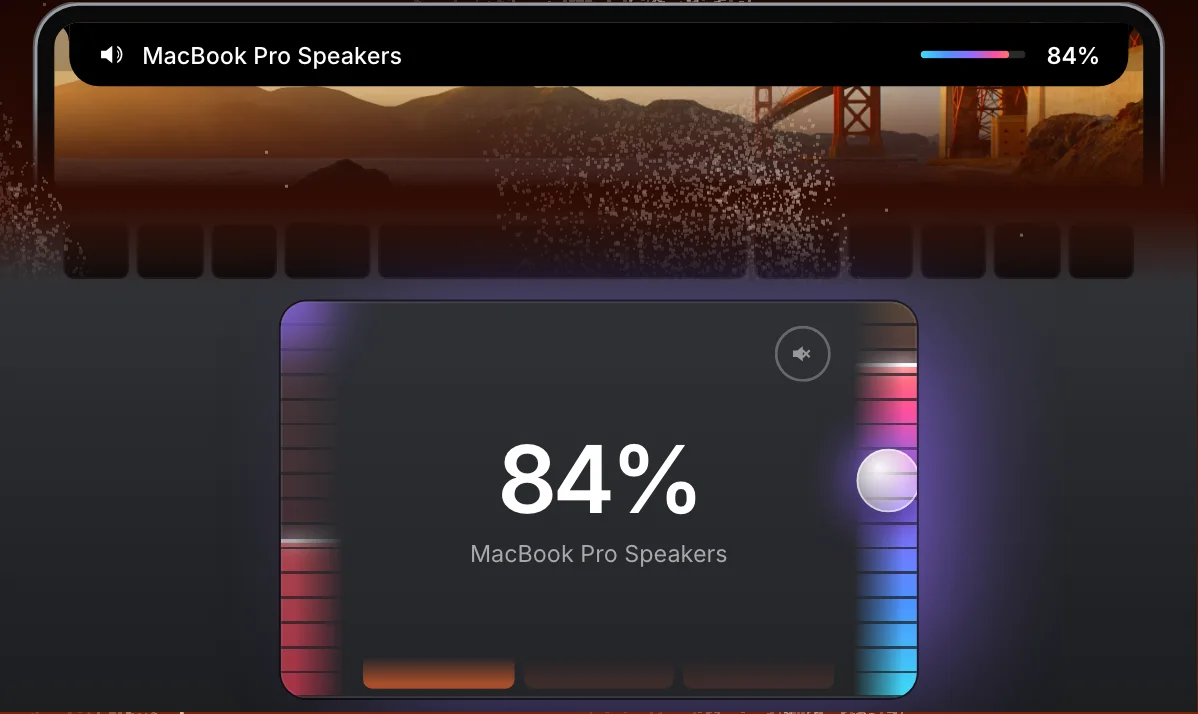
Yes. Turn on trackpad edges in Settings > Notch, then slide along the right edge for the Mac’s volume or the left edge for the front app’s. Sliding along the bottom edge to switch output and double-tapping the top-right corner to mute are optional.
Yes. The notch shows the cover, name and artist, with previous, play or pause, and next. You can turn this off in Settings > General.
Buy SoundBar and your licence key arrives by email. Open Settings > License in the app and paste it in. A FORE- key from Fore Plus or Fore Insider also works.
Yes. The packs for 2 and 5 Macs use one key on each Mac. To move a licence, deactivate it in Settings > License or on the licence page at apps.fore.studio.
No. You pay once, and every future update is included.
Enter your email at apps.fore.studio and the key is sent to you again.
Yes, within 14 days of purchase, for any reason. Email [email protected] from the address you used at checkout.
No. It passes each app’s sound through at the level you set, on your Mac, and keeps none of it. Nothing is recorded or sent anywhere.
macOS asks once for audio capture, which is how SoundBar receives an app’s sound to play it at your level. Accessibility is asked for only if the volume keys should change the front app, or to hold the pointer still on the trackpad’s edge. A login item only if you turn on Open at Login.
Only to check for updates, to activate and confirm your licence, and to send a review if you write one. None of it says what you listen to or which apps you use.
In macOS preferences on your Mac. Your licence and the date your trial began are kept in your Keychain.
Guides
 Flit Dictation that never leaves your Mac. Productivity · macOS 14 or later $15
 Vitals The Activity Monitor alternative for Mac. Utilities · macOS 15 or later $12.99
 Levers A clean Mac screen, in one click. Utilities · macOS 15 or later $6.99
 Rimlight A screen-recording studio for macOS. macOS Coming soon
Free for 3 days, and a full refund for 14 days after you buy.
Also at soundbarmac.com