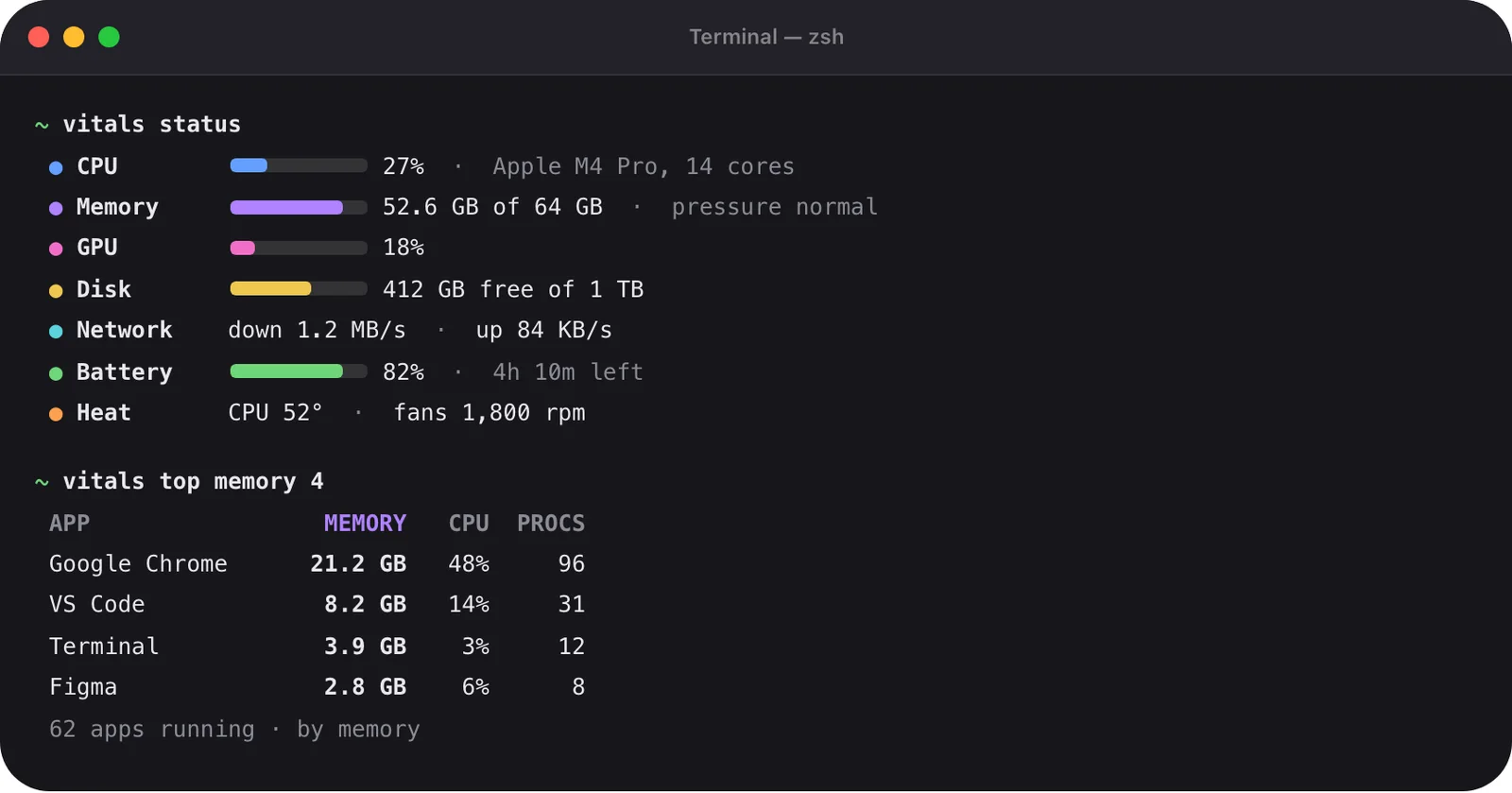

What an assistant gets from Vitals
Ask an assistant why the Mac is slow and, left to itself, it runs ps, gets a thousand lines and guesses. It sees node at 180% and cannot tell which project or chat that is. It sees a port in use and offers to kill whatever holds it.
Through Vitals it gets the picture you see: apps with their helpers added up, projects with their ports, coding sessions with what they started, and history. Every answer says when it was measured.
- What is using the CPU, memory, battery, disk or network
- Which app a figure belongs to, and what is on a port
- Which coding sessions are running, and which chat each belongs to
- How hard the Mac was pushed over a day, a week or a year, and when it was at a limit
Setting it up
The server is off until you turn it on. Settings → Integrations lists Claude, Claude Code, Codex and Cursor with an Add button each. Add puts Vitals in that assistant’s own list of tools, and an assistant that is already open sees it the next time it starts.
Any other assistant that speaks MCP takes the command shown on the same page. An assistant on another computer can ask this Mac over SSH: the server runs on the Mac that has Vitals, which must be running there in the account you log in as, with Remote Login on.

Quitting goes through you
Every tool but quit is read-only. When an assistant wants something quit, it asks Vitals, and Vitals asks you in a window of its own: what is asking, what it wants to quit, what is connected to it right now, and whether Vitals thinks that looks safe. Nothing closes until you click. If you say no, it stays running.
For folders you choose, safe requests can go through without asking. Add a project folder, or a folder that holds your projects, in Settings → Integrations. Everything else is still asked about.

What the assistant hears
Vitals itself sends nothing anywhere. It answers the assistant on your Mac. What it says then goes wherever that assistant sends its conversations, and app names, project folders and ports are in the answers.
You choose what it may see. System readings, apps, projects and history each have a switch in Settings → Integrations, for every assistant at once. Project folders can be given by name only, so an assistant hears “shop” and not where that folder lives.
How to use it
- 1
Add your assistant
Open Settings → Integrations and click Add beside Claude, Claude Code, Codex or Cursor. For another assistant, copy the command shown there.
- 2
Choose what it may see
Switch off system readings, apps, projects or history if you prefer, and give project folders by name only.
- 3
Ask
What is using my memory. What is on port 8080. Which coding sessions are running. When was the Mac at a limit this week.
- 4
Answer a quit request
It arrives in a Vitals window with what is asking and what is connected to the target. Click yes or no.
The details
- One-click setup for
- Claude, Claude Code, Codex and Cursor
- Other assistants
- Any that speaks MCP, with the command from Settings → Integrations
- Default
- Off until you turn it on
- Tools
- Read-only, except quit, which asks you first
- Switches
- System readings, apps, projects and history; folders by name only
- History it can ask about
- A day, a week or a year, and the busiest apps over 90 days, 6 months or a year
- From another computer
- Over SSH, with Vitals running on the Mac and Remote Login on
Questions
Which assistants work with it?
Claude, Claude Code, Codex, Cursor and any assistant that speaks MCP. The first four have an Add button in Settings → Integrations. Any other takes the command shown there.
Can an assistant quit apps through Vitals?
Only through you. Vitals shows what the assistant wants to quit in a window of its own, and nothing closes until you say so.
Does it send my data to the assistant’s maker?
Vitals answers the assistant on your Mac and sends nothing anywhere itself. What the assistant does with the answer is up to the assistant, as with anything else you tell it.
Is it on by default?
No. It stays off until you turn it on in Settings → Integrations.
Can my assistant ask about last week?
Yes. It can ask how hard the Mac was pushed over a day, a week or a year, when it was at a limit, and which apps used the most over 90 days, 6 months or a year.
The same feature on the app's own site: vitalsmac.com/features/mcp-server