
How it differs from top and ps
macOS gives the terminal top and ps. Both list about a thousand processes, with no idea which app or project each belongs to and nothing about yesterday. Finding what holds port 3000 takes lsof, a PID and another command.
The vitals command asks the running Vitals app instead. It measures nothing itself, so asking costs the Mac almost nothing, and you get apps with helpers counted in, projects with their ports, agents with what they started, and up to a year of history. Vitals has to be running. If it is not, the command says so and what to do.
Installing it
The command is inside the app. Turn on Let AI Assistants Ask Vitals in Settings → Integrations and Vitals links vitals onto your PATH, in /opt/homebrew/bin or /usr/local/bin, with a manual page and tab completion. If the folder needs your password, an Install button asks for it once.
With Homebrew, brew install --cask foredotstudio/tap/vitals installs the app and the command together, with completion for zsh, bash and fish. Vitals updates itself, so brew upgrade leaves it alone. The command works during the free trial.
Reading: a command for each question
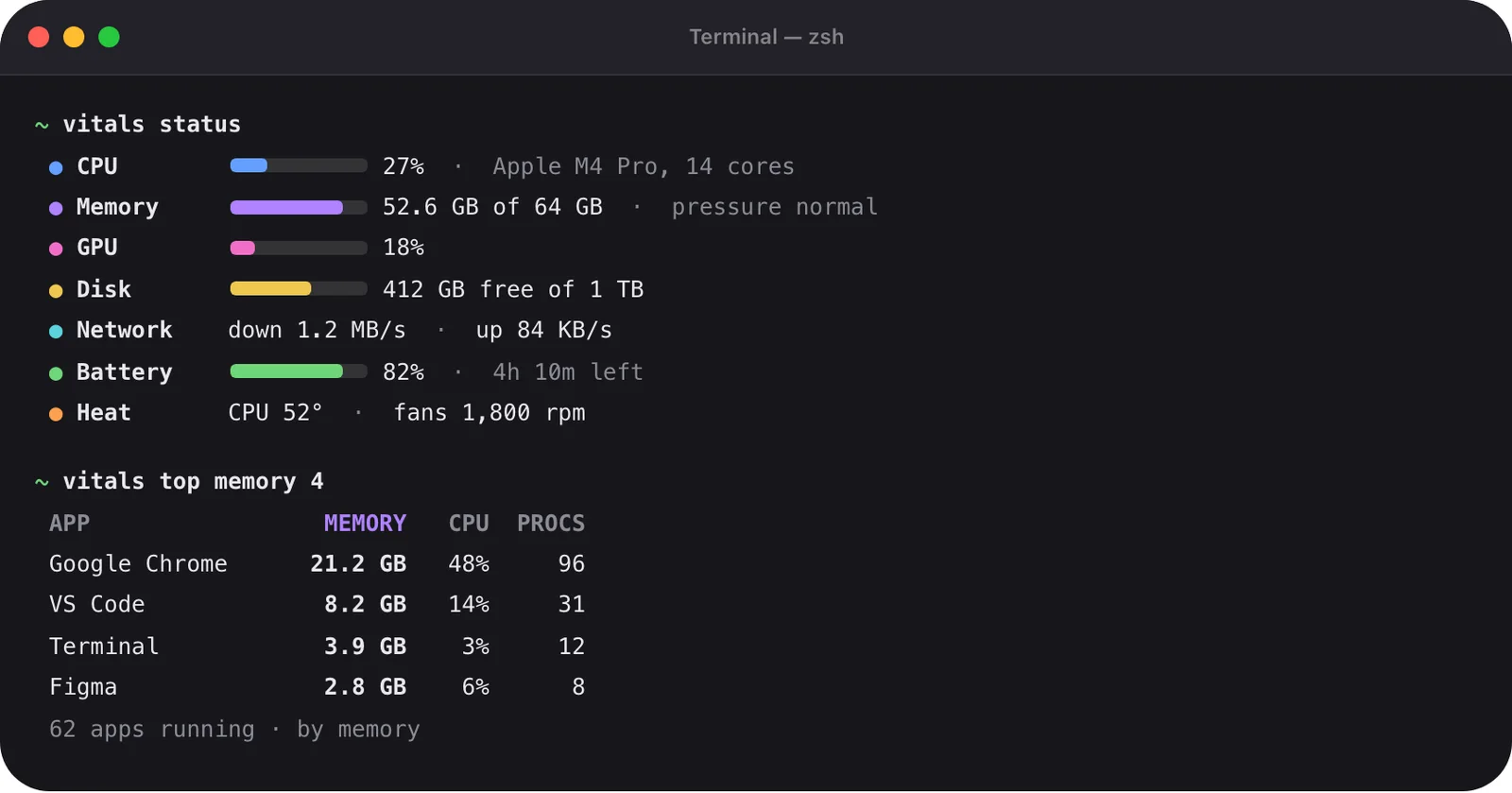
vitals status gives a line per reading with a bar. vitals top lists the apps using the most memory, CPU, power, disk or network, now or over a period up to a year. Ports, projects, containers, agents and AI limits each have a command, and vitals whats-wrong lists what Vitals has noticed. Every answer says when it was measured.
- --json on every command, the same answer the MCP server gives
- --csv for the main list, for a spreadsheet
- --watch refreshes every two seconds until Control-C
- In a pipe nothing is clipped, and the exit code is 1 when Vitals did not answer

Stopping: a verdict first, then your yes
vitals can-quit says whether something is safe to quit, why, and what would stop with it. The verdict is safe, ask first or don’t. vitals quit and vitals stop show that verdict and wait for your yes. Apps quit the way ⌘Q quits them, so they can ask to save.
What needs a person is refused when there is no terminal to ask on, even with --yes, so a script or an agent cannot wave it through. Every quit is logged in Settings → Integrations.

Scripts, SSH and opening the app
The JSON gains fields over time, but existing fields keep their names and meaning. Over SSH, the command on another Mac answers from any computer when you call it by its full path, with Vitals running there and Remote Login on.
A script can also open the app: open "vitals://open?tab=cpu" opens the window on a tab, and open vitals://dropdown shows or hides the dropdown.
How to use it
- 1
Install the command
Turn on Let AI Assistants Ask Vitals in Settings → Integrations, or run brew install --cask foredotstudio/tap/vitals.
- 2
Ask a question
Try vitals status for the whole Mac, vitals top cpu day for today’s CPU, or vitals ports for what is listening. vitals help lists every command.
- 3
Script it
Add --json and pipe the answer to jq, or --csv for a spreadsheet.
- 4
Stop something safely
Run vitals can-quit --port 3000 to see what holds the port, then vitals stop --port 3000. vitals stop --idle stops every dev server nobody is using.
The details
- Reading commands
- status, top, app, find, process, ports, projects, containers, agents, limits, awake, battery, history, whats-wrong
- Acting commands
- can-quit, quit, stop
- Other commands
- completions, mcp, help
- Options
- --json, --csv, --watch (with --every N), --no-color
- Periods for vitals top
- Now, an hour, a day, a week, a month, a quarter, half a year or a year
- Tab completion
- zsh, bash and fish
- Homebrew
- brew install --cask foredotstudio/tap/vitals
- Manual
- man vitals
Questions
Does Vitals have to be running?
Yes. The command asks the running app, which already keeps the readings and the history. If Vitals is not running, or Let AI Assistants Ask Vitals is off, the command says so.
I already have Vitals. How do I get the command?
Turn on Let AI Assistants Ask Vitals in Settings → Integrations. Vitals links vitals onto your PATH, and the Terminal section there says where.
Can an AI agent use it?
Yes. An agent with a shell can run vitals and read the answer. It cannot stop anything that needs a person: without a terminal to ask on, those requests are refused, even with --yes.
How is it different from the MCP server?
It is the same connection to the app, with the same answers. The command adds quit and stop, which ask you on the terminal. vitals mcp is the MCP server itself.
Will my scripts break when Vitals updates?
No. The JSON gains fields over time, but the ones already there keep their names and meaning.
The same feature on the app's own site: vitalsmac.com/features/cli


