
Punctuation and symbols, spaced correctly
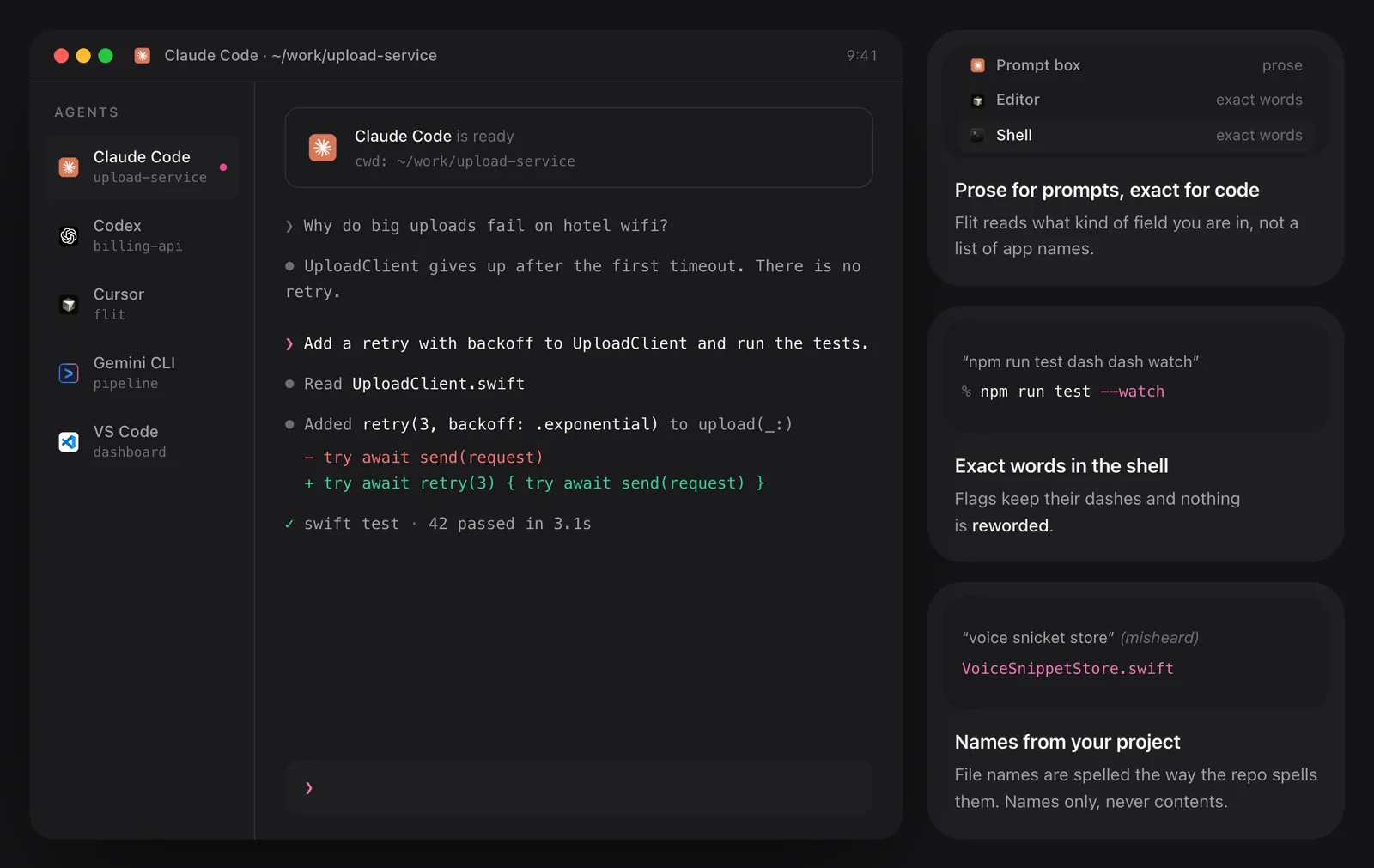
Say the name of a mark and you get the mark, attached to the right neighbour. “Comma” and “question mark” stick to the word before them. “Dollar sign” and “hash” stick to the word after. “At sign”, “dot”, “slash” and “underscore” join both sides, which is how “name at sign gmail dot com” comes out as [email protected] and “tilde slash projects” as ~/projects.
“Dash” binds to the right on purpose, so “dash dash force” becomes --force and command flags survive dictation. “Hyphen” joins both sides: “well hyphen known” is well-known.
Brackets, quotes and structure
Opening brackets and quotes attach to what follows, and closing ones to what came before, so a dictated aside needs no tidying. There are commands for parentheses, square brackets, braces, angle brackets and both kinds of quote. Voice models often hear “paren” as “parent”, so “open parent” is accepted too.
A case command runs to the end of the sentence: any sentence mark ends the name, and an “uh” in the middle of it is dropped. After a word like “the” or “in”, “camel case” stays two ordinary words. In terminals and editors, “space” undoes a “no space”.
- “new line” and “new paragraph” for breaks, “tab key” for a tab
- “all caps on … all caps off” for an uppercase span
- “camel case”, “pascal case”, “snake case” and “kebab case” join the rest of the sentence
- “no space” joins the words on either side
Correcting yourself
Say “scratch that” and the statement before it is dropped. Connectives such as “no wait”, “I mean”, “sorry”, “make that” and “or rather” replace a value with the one you say next: “meet at 9:30 I mean 10:30” keeps 10:30, and “the demo on Monday no wait Tuesday” keeps Tuesday. This covers clock times, amounts and percentages, plain numbers and ordinals, weekdays and months.
It does not matter how the voice model writes a time: 9:30, 9.30 and “nine thirty” are all recognised, and so is “half nine”.

Emoji, and saying the word instead
Say an emoji’s name followed by the word “emoji”: “rocket emoji” types 🚀. The trigger word is required, so ordinary speech never turns into emoji by accident, and a name Flit does not know is left as you said it.
To write about punctuation instead of producing it, put “literally” first. “Literally comma” types the word comma, and “literally fire emoji” types those three words.
Where commands are active
Commands are always on in terminals and code editors, and optional everywhere else. They are spoken in English for now, even when you dictate in another language. The full list is published on Flit’s site, generated from the same rules the app ships.
The details
- Commands
- More than 60
- Emoji names
- 115
- Handled by
- Fixed rules, with no model involved
- Always on in
- Terminals and code editors
- Elsewhere
- Optional
- Spoken in
- English, for now
- To type the word itself
- Say “literally” first
Questions
Do I have to say punctuation out loud?
No. Flit punctuates normal speech for you. The commands are for when you want a specific mark, symbol or line break.
How do I dictate an email address?
Say it the way you would read it out: “bob at acme dot com” lands as [email protected].
How do I type the word “comma”?
Say “literally comma”. The same prefix works for any command and for emoji names.
Do the commands work in other languages?
They are spoken in English for now, even if the rest of your dictation is in another language.
The same feature on the app's own site: flit.fyi/commands