
One dictation, three results
Say “um so the launch is moving to thursday can you update the doc”. In Messages it lands relaxed: “the launch is moving to Thursday, can you update the doc?”. In Mail it is professional: “The launch is moving to Thursday. Could you update the doc?”. In Notes it is neutral. In Terminal you get your exact words, with nothing reworded.
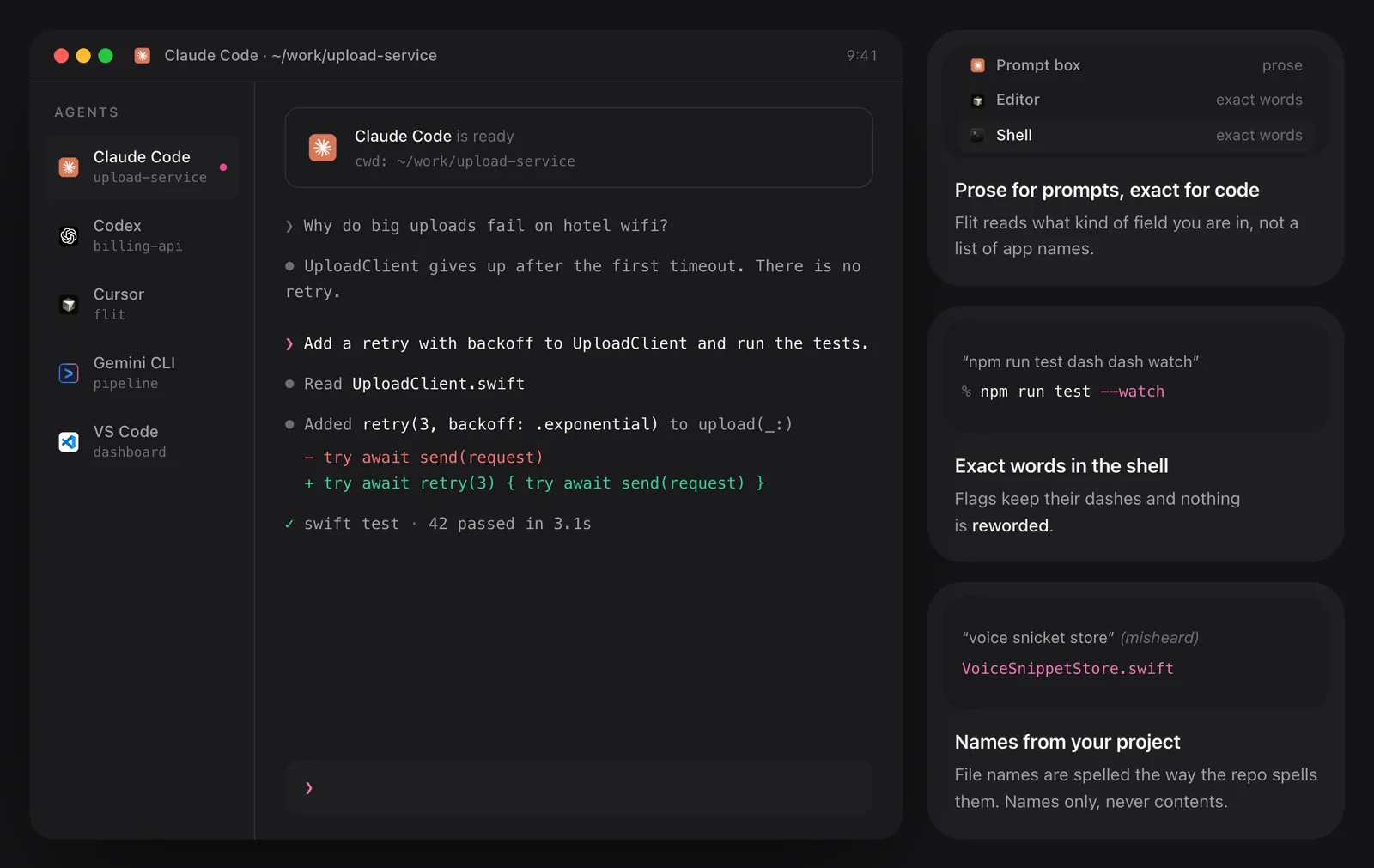
Flit decides from the kind of field you are in, not from a list of app names. A prompt box gets prose and a shell gets exact words.
Set your own rule per app
There are four tones: auto, casual, neutral and professional. Auto follows the app. If you want one app to always read a certain way, pin a tone to it and your rule wins over Flit’s guess.
Matching the tone is the formatting model’s job, and it runs on your Mac. It changes register and punctuation, not what you said: a rewrite that drops one of your words is thrown away. In emails it also starts a new paragraph where you change the subject, and gives the greeting and the sign-off their own lines.
- Casual in messengers such as Messages
- Professional in Mail
- Your exact words in terminals and code editors, always
Context: it reads the thread, not a screenshot
Turn on context in Settings and Flit reads the field you are typing into and the window around it. A reply to Aoife spells her name the way the thread does, even when the voice model heard “ifa”, and the reply matches the thread’s tone. A sentence you continue picks up from what is already in the field, and an email knows who it is to.
This uses the Accessibility access Flit already types with. It reads text, never a screenshot. What it read stays in memory for one dictation and is gone when your text lands.
Flit’s site sets this against Wispr Flow, which takes a screenshot of your screen and sends it to its cloud for context. Flit reads the text on the Mac and never stores it.
- Off by default
- Password fields are never read, on or off
- Terminals and code editors are never read

What the voice model heard, and what landed
The picture shows the same reply a moment earlier. The live bar has the name as it was heard. The finished message has it as the thread spells it. Nothing about that thread is kept afterwards.

In AI chats
Dictating into Claude, ChatGPT or an editor’s chat panel shapes what you say as a clear prompt and keeps code terms as you said them. Flit never answers the request itself. Items you count out loud become numbered steps there too, and only when you count, so the rest of the prompt stays as you said it.
The details
- Tones
- Auto, Casual, Neutral, Professional
- Per-app rules
- Yes; a tone you pin to an app overrides Auto
- Context
- Off by default; turned on in Settings
- What context reads
- The focused text field and the window around it, as text
- What it keeps
- Nothing; held in memory for one dictation
- Never read
- Password fields, terminals, code editors
Questions
Does Flit take screenshots of my screen?
No. With context on it reads text from the focused field and its window through macOS Accessibility. No image is captured and nothing is stored.
Is context on by default?
No. It is off until you turn it on in Settings.
Can I stop Flit changing my tone?
Yes. Pin a tone to any app, or set the formatting level to Verbatim to get your words as spoken.
How does it tell a terminal from a chat box?
It looks at the kind of field you are in rather than the name of the app. Terminals and code editors get your exact words.
The same feature on the app's own site: flit.fyi/features