
What a theme sets
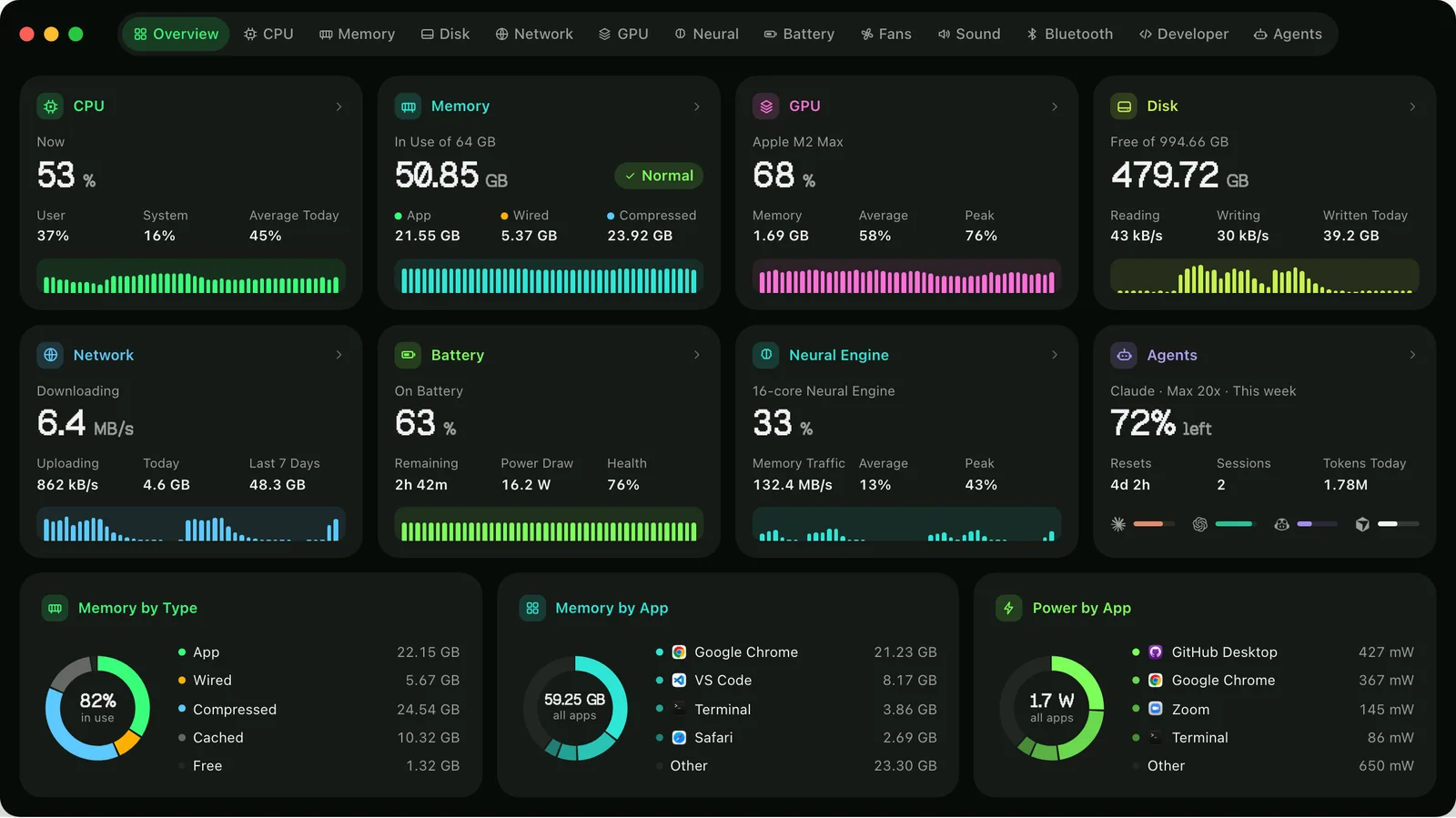
A theme is four things chosen to go together: the window’s colour, the colours every chart and card is drawn in, a font for the numbers, and light or dark. Terminal is phosphor green on near-black. Paper is a warm off-white with charts in ink. Vitals’ own is as it has always been.
Six themes open dark, Paper opens light, and Vitals’ own follows the Mac. Every theme has both a light and a dark version. Activity Monitor only follows the Mac’s light or dark, and its graphs keep their own colours.
Plenty of people choose how their editor and terminal look. A monitor that stays open beside them all day can match.

A font for the numbers
Terminal sets its numbers in Geist Pixel, Amber and Neon in SF Mono, Champagne and Paper in New York, and the rest in Vitals’ rounded figures. The large numbers, the cards, the tables and the dropdown all take the font.
Geist Pixel is Vercel’s pixel font, under the SIL Open Font License. It comes inside Vitals and nothing is installed on your Mac. Under Font → Other you can pick any font on the Mac, and the Weight slider goes from light to bold.
Where the theme reaches
The main window, the menu bar dropdown, Settings and its sidebar, the app and process drawers, sheets and popovers all take the theme, with buttons, switches, selections and links in the theme’s colour.
Two things keep their own look. The menu bar items use the colours set under Settings → Layout → Menu Bar, and the welcome window keeps Vitals’ own look.
Chart colours for colour blindness
Colors sits on top of the theme. Theme keeps the theme’s own colours. Monochrome draws the charts in shades of grey. Accessible uses colours made to stay apart with the common kinds of colour blindness. In each case the window keeps the theme’s ground.

Exported pictures keep the theme
Export a tab, the Overview’s dashboard or its share card and the picture comes out in the theme: its ground, its colours and its number font. Background under Settings → Customize → Export sets the share card’s and the dashboard’s ground: as the window is, light, dark or transparent. The share card takes the theme’s light or dark ground, so a Terminal card is green on black wherever you post it. The memory report’s chart sits on the theme too.
How to use it
- 1
Open Settings → Customize
Theme is at the top: eight tiles drawn in their own colours. Hover over one for a line about it.
- 2
Click a theme
Vitals takes it at once, in the window, the dropdown, Settings and anything open.
- 3
Adjust it
Appearance switches between the theme’s light and dark. Colors picks Theme, Monochrome or Accessible. Font and Weight set the numbers.
- 4
Export in the theme
Use Export on the Overview or on any tab. The picture is drawn in the theme.
The details
- Themes
- Terminal, Amber, Midnight, Plum, Neon, Champagne, Paper and Vitals’ own
- Each sets
- Window colour, chart colours, number font, light or dark
- Number fonts
- Geist Pixel, SF Mono, New York or SF Rounded, or any font on the Mac
- Chart colours
- Theme, Monochrome or Accessible
- Where to set it
- Settings → Customize
- Added in
- Vitals 1.13
Questions
Where are the themes in Vitals?
At the top of Settings → Customize. Click a tile and Vitals takes the theme at once.
Does Vitals have a dark mode?
Yes. It follows the Mac’s light or dark by default, and Appearance in Settings → Customize sets Light or Dark for Vitals alone. Every theme has both versions.
Does Vitals have a colourblind mode?
Yes. Colors → Accessible works with any theme. The charts take colours that stay apart with the common kinds of colour blindness. Monochrome draws them in shades of grey.
Can I keep a theme but change its font or colours?
Yes. A theme picks the font and light or dark as if you had picked them, and you can change either afterwards.
Do exported pictures follow the theme?
Yes. A tab’s picture, the Overview’s dashboard, the share card and the memory report’s chart are all drawn in the theme.
The same feature on the app's own site: vitalsmac.com/features/themes


